


EmailTooltester is supported by readers like yourself. We may earn a commission when you purchase through our links. Of course, this won't increase the cost for you.
Whether you want to build contact forms, sign-up forms, payment forms or online surveys, there are tons of form builders out there (of course, you want to know what the best online form builder is).
What’s great is that these online form builder apps take out the complicated coding aspect, meaning that you often only have to drag and drop a few elements in order to get it exactly how you want. Most form builders even offer ready-made online forms where you hardly have to touch a thing.
Why use Online Form Builders?
Online forms are an essential tool for email marketing lead generation (which forms and important part of your overall email marketing strategy), as you can use them to:
- capture leads
- learn about industry trends
- do market research
- get customer feedback
- sign up subscribers to your newsletter
- and more!
As you’re looking for the best online form builder for your business, this article outlines all the pros and cons of each solution.
As everyone is on a different budget, this article looks at everything from free online form builders to those with starting monthly fees of $35. Remember, just because an online form builder software is more expensive, doesn’t mean a cheaper tool couldn’t do what you need just as well, or even better.
If you’re specifically looking for a tool to create surveys with, check out my article on free survey tools and, if you are looking for even more interactivity, also this one on online quiz makers. If you'd like to take bookings, you should check out this post on the top scheduling apps.
Note: Check out our complete guide to how to build an email list for all of our top list-building strategies.
How to Create Online Forms
Depending on the online form builder software you decide to use, the process may be slightly different.
WordPress users might find it makes more sense to install a WordPress form builder plugin, keeping everything within the WordPress backend. Alternatively, it’s also possible to use a cloud-based solution and embed the form directly onto a page on your website.
Those who don’t have a website might simply want a contact form to share on their social media accounts or via email marketing.
In any case, you’ll be better off with a drag and drop builder that gets the balance right between having enough options and an overwhelming amount. It’s also good to choose an online form builder software that provides you with a nice range of pre-built form templates, as this will only speed up the process.
Read on to find the best online form builder for your business.
What’s the Best Online Form Builder?
This is our list of the 14 best online form builders for your business. Detailed reviews of each of the form builder software are below the table.
| Form Builder Software | Features | Price |
|---|---|---|
| HubSpot |
|
Free
Paid plans from $50/mo |
| AidaForm |
|
Free
Paid plans from $9/mo |
| JotForm |
|
Free
Paid plans from $29/mo |
| 123FormBuilder |
|
Free
Paid plans from $24.99/mo |
| Elementor |
|
Plans from $49/year |
| Zoho Forms |
|
Free
Paid plans from $18/user/mo |
| Optimonk |
|
Free
Paid plans from $29/mo |
| Convertful |
|
Free
Paid plans from $19/mo |
| Paperform |
|
From $24/mo |
| Moosend |
|
From $9/month |
| Ninja Forms |
|
Plans from $99/year |
| Typeform |
|
Free
Paid plans from $35/year |
| Gravity Forms |
|
Plans from $59/year |
| Cognito Forms |
|
Free
Paid plans from $10/year |
| Wufoo |
|
Free
Paid plans from $19/year |
1. HubSpot: A complete package that’s free and easy to use
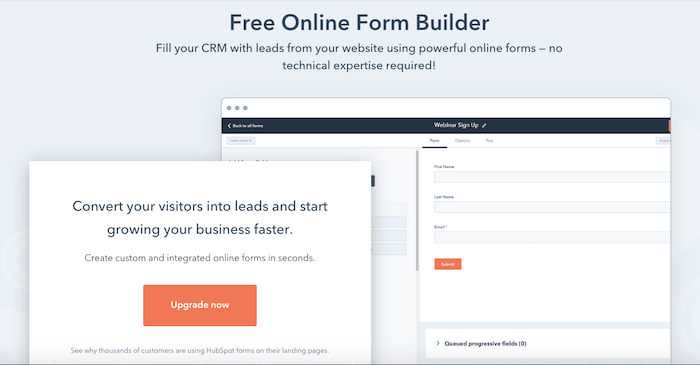
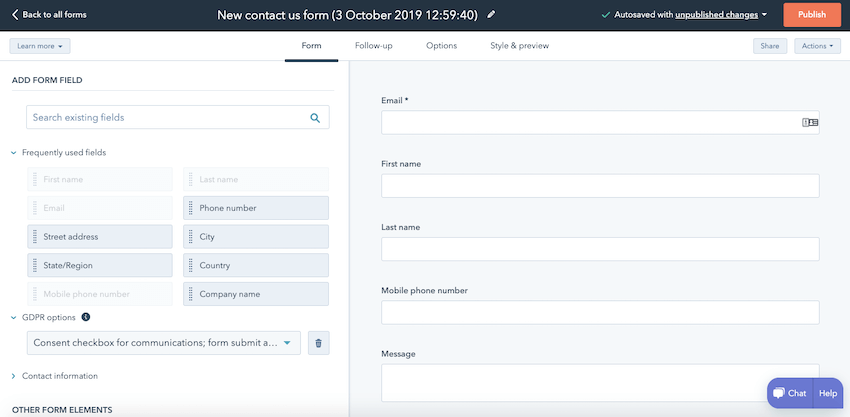
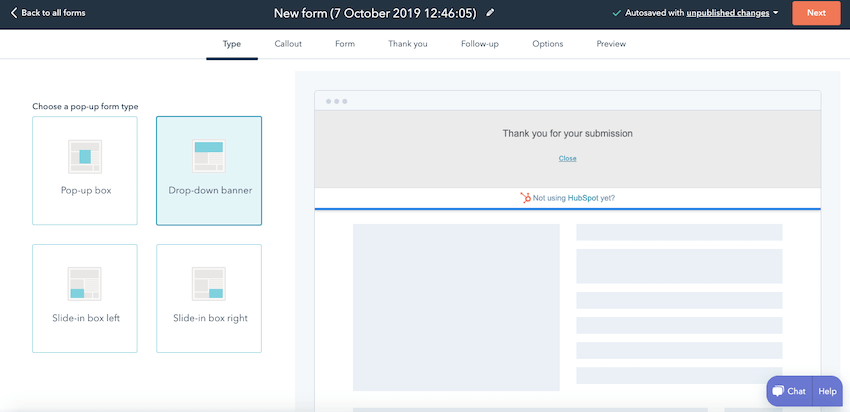
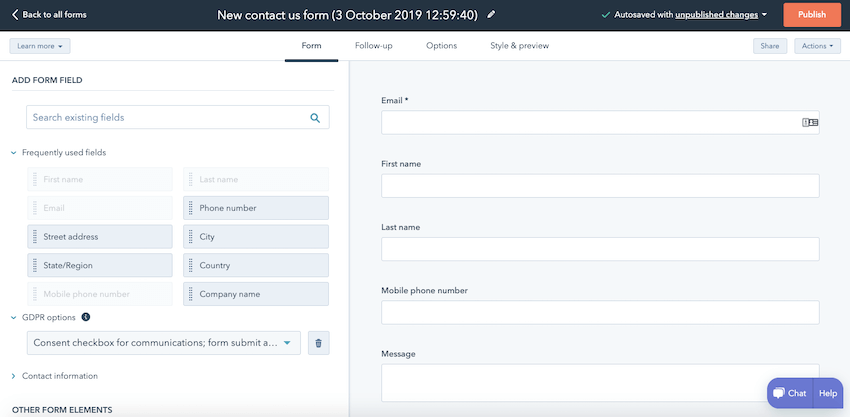
I love HubSpot. Their clean interface and ready-made templates make setting up contact forms, registration forms or newsletter signup forms really easy! As well as a regular contact form, you can also set up pop-up forms that show up on particular pages.
It uses a drag and drop builder, which has all the options you need, including GDPR options. You can also set up a simple follow-up email, otherwise known as an autoresponder. Note that if you are on HubSpot’s Marketing Starter plan then you can create an automation workflow to nurture leads.
In terms of reporting, the data is easy to read and, if you’re on a higher-tier plan, you can customize your dashboard to your needs. What’s great about HubSpot is that the contacts generated through the forms all go into their sophisticated CRM where you can create tasks, add notes, set a lifecycle stage, etc. This makes it really easy to manage form submissions.
Screenshots

Recommended for
HubSpot’s offering is so much more than just an online form builder. In fact, because it’s primarily a CRM (which also comes with email marketing), both your sales and marketing team will find it invaluable when it comes to lead generation and contact management. What’s more, it’s completely free!
If you find you need more advanced features then you can upgrade to their Marketing or Sales Hub plans for $50 a month.
>> Sign up to HubSpot for free
2. AidaForm: Create Unlimited Forms for Free
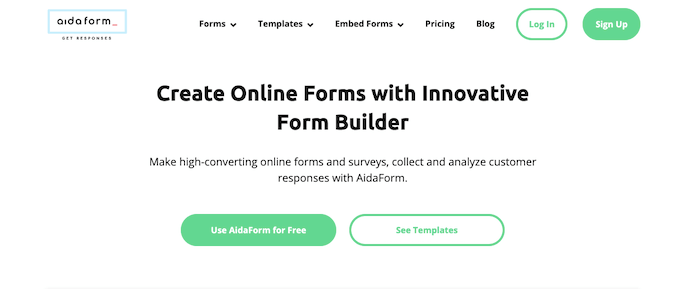
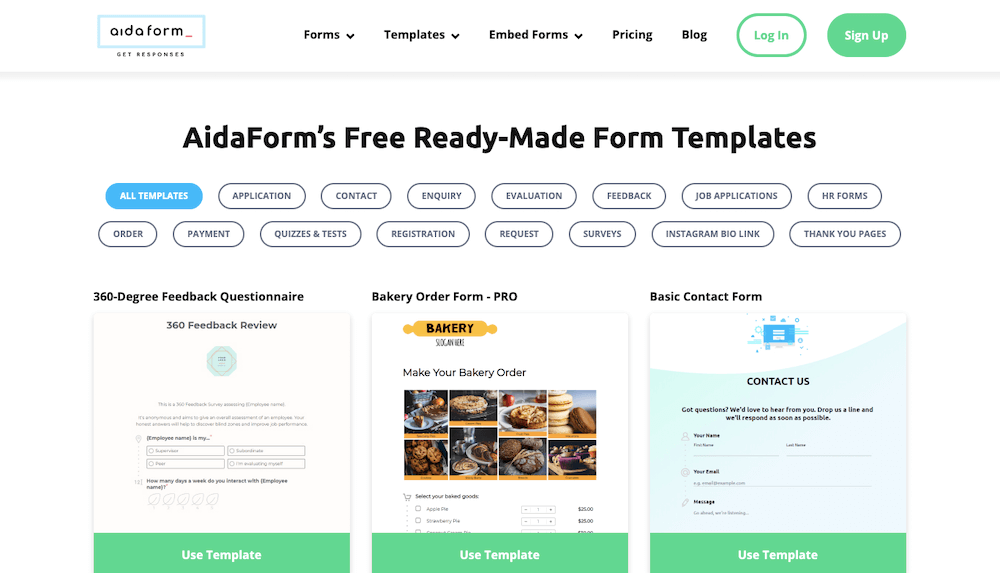
AidaForm is really easy to use and includes some of the best templates I’ve seen. There are plenty of engaging forms to choose from, and with 15 categories, you’re bound to find one that meets your needs. Plus, all templates are available on the free plan.
In fact, AidaForm’s free plan is pretty generous; you’ll get 100 responses a month, unlimited forms and surveys, unlimited fields and up to 2 subdomains.
If you need unlimited responses and video questions then the Lite plan will only cost you $9/month and its Pro plan allows you to take online payments and use conditional logic jump for $19/month.
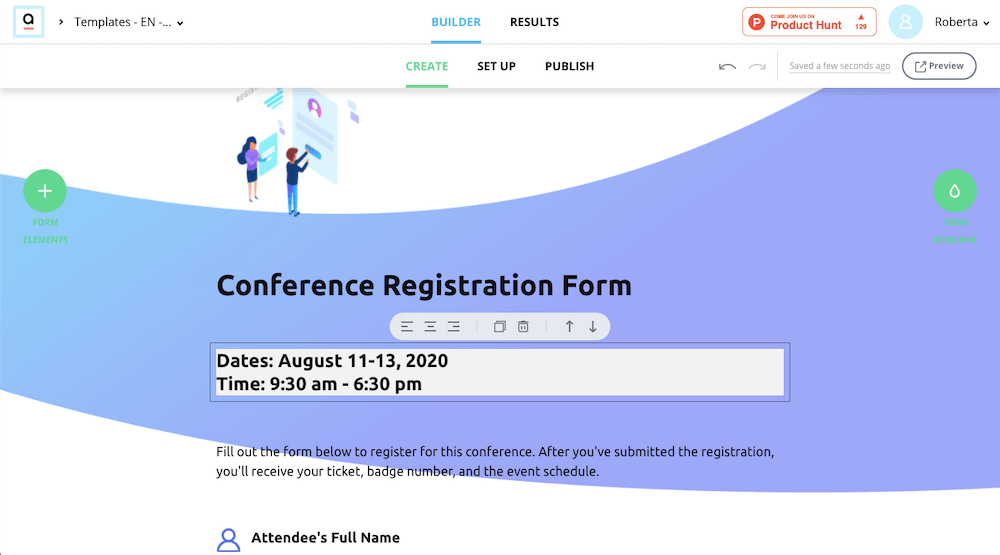
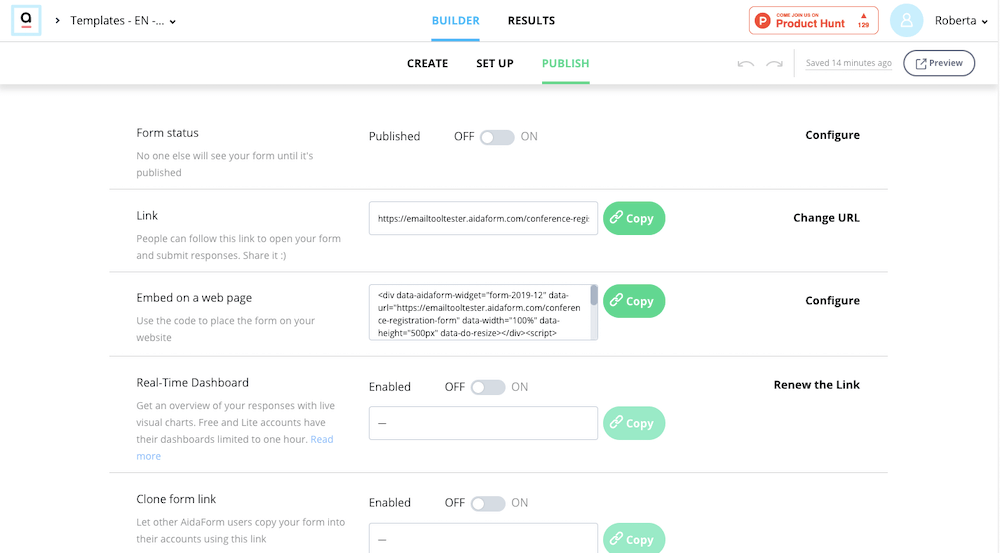
You can embed the form on your website or share the link and your responses will be stored in your Responses Inbox (you can also receive them as a PDF in your email client inbox).
Screenshots
Recommended for
I’d recommend AidaForm to anyone looking for a free online form builder with well-designed templates. Considering that you’ll only pay $9/month for unlimited forms and responses, this tool is a pretty good deal!
3. JotForm: Comes with email autoresponder options
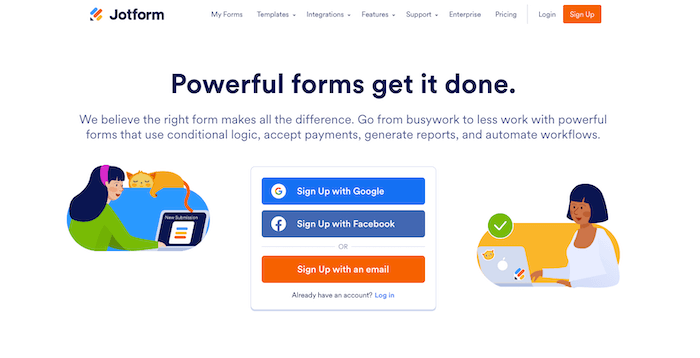
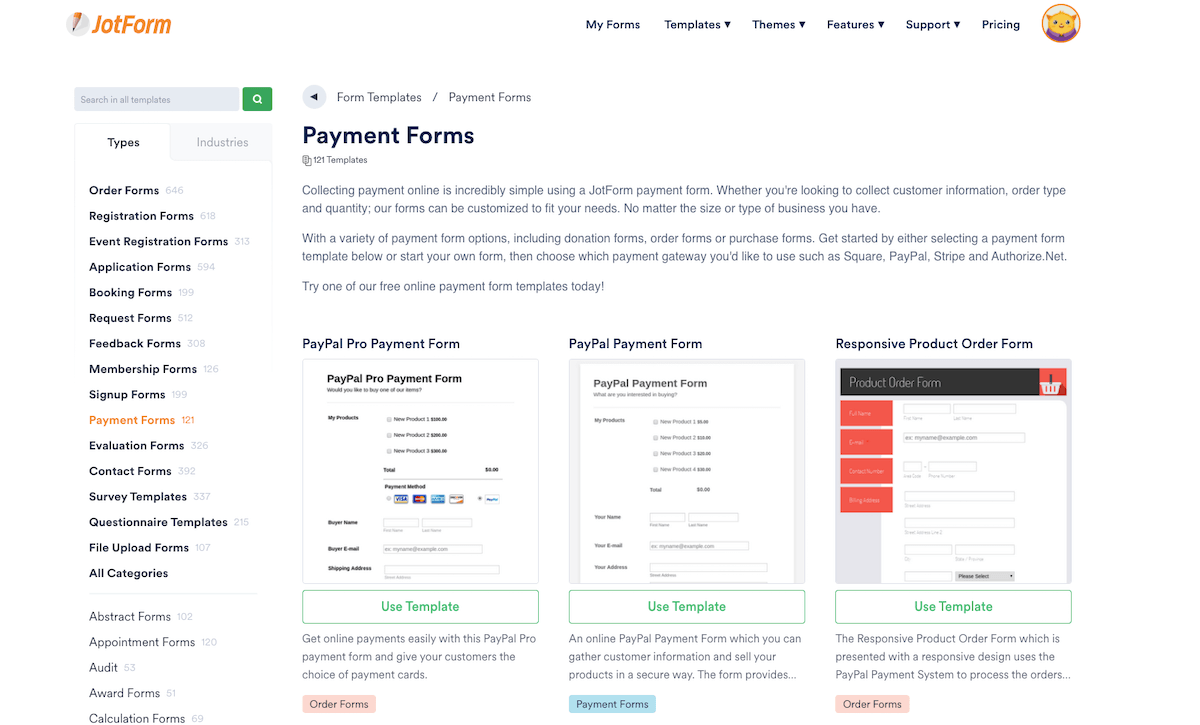
JotForm definitely has the largest selection of form templates of all the online form builders I’ve seen; they have 10,000! This makes it very easy to create engaging forms that capture new users.
A cool feature of JotForm is that you can set up a series of basic autoresponder emails to be sent to those who sign up. Or, if you want to integrate it with your existing email marketing provider, they have plenty of integrations available.
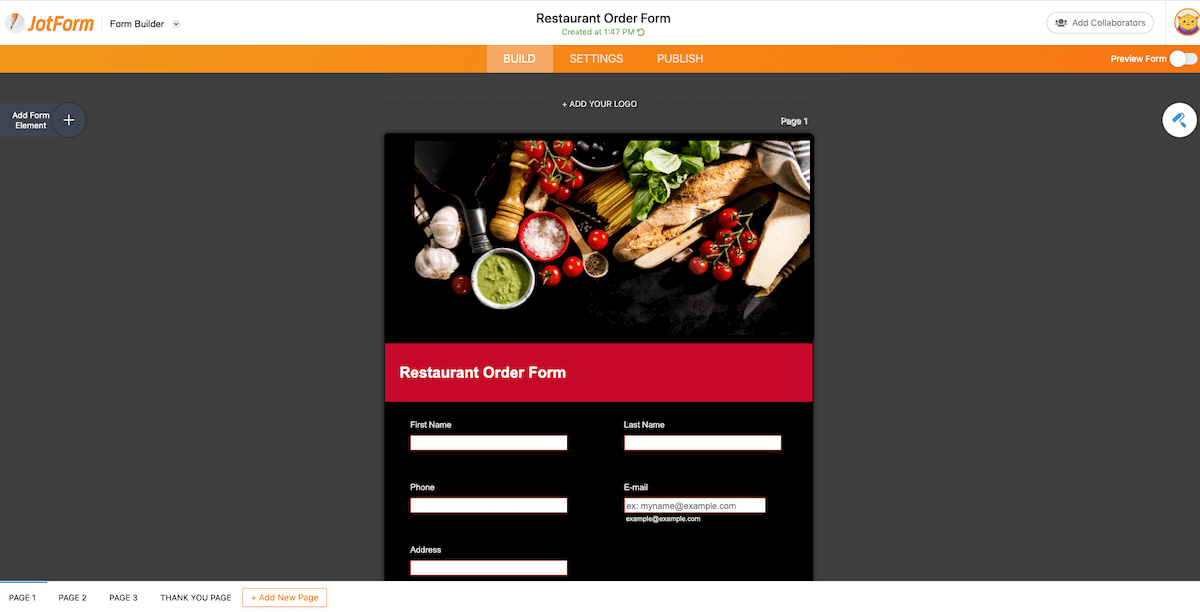
Editing the forms is very easy, so if you’re looking for a basic template that you can use to get up and running quickly then JotForm isn’t a bad option.
When it comes to sharing your form you have plenty of options: Embed it as an iFrame, pop-up or lightbox or share it through email or social media.
Screenshots
Recommended for
Those looking for a large selection of modern templates. They offer a free plan with limited features and JotForm branding. Paid plans with more advanced features start from $29 a month.
4. 123FormBuilder: Excellent customer support
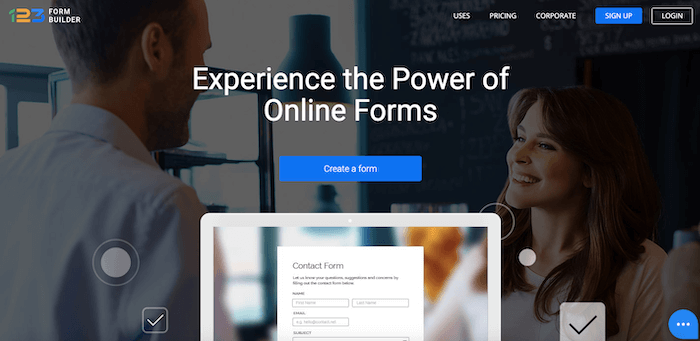
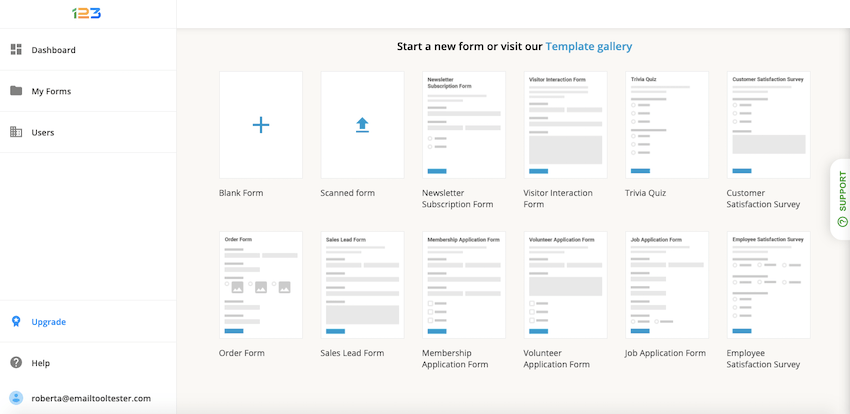
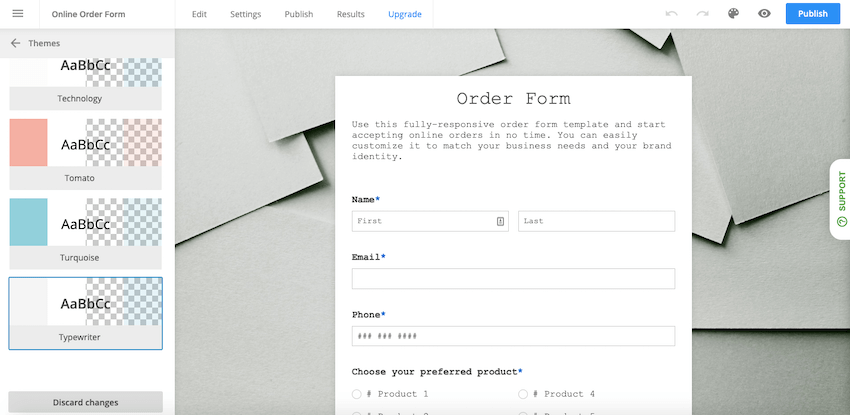
123FormBuilder is a popular online form maker, known for its clean interface and very helpful live chat support. It allows for infinite customization, offering a number of predefined themes or the option to code your own in CSS.
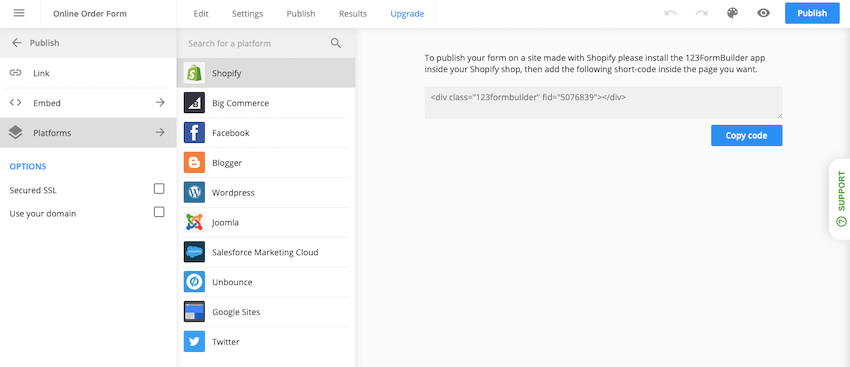
When it comes to sharing, I liked that it provides you with exactly what you need to embed your form on all the main website platforms like Shopify, WordPress and BigCommerce (see screenshot below).
On higher-tier plans, you can use autoresponder rules to trigger different autoresponders based on the input provided by your form visitors, which is a really helpful automation feature. Payment processing is also supported, though quite pricey.
Screenshots
Recommended for
Businesses looking for an easy to use software with good customer support. Though the forms aren’t difficult to set up, it does help to know that an agent is there if you need them.
Plans start from $24.99 a month and include a 30-day money-back guarantee.
5. Elementor: WordPress website builder and forms in one
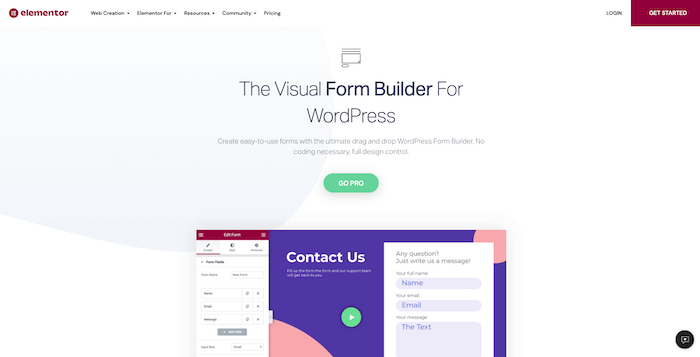
Elementor is a popular website and landing page builder for WordPress. In fact, it claims that 8M+ websites have been built with Elementor, which is no small feat.
Of course, you can’t talk about Elementor’s form widget without talking about their website builder, as you’ll need to first use this to set up your site. This you can do for free, but you’ll need the Pro pack to add forms, which will cost you $49/year. In purchasing this pack, you’ll get access to loads of pro widgets, such as pricing tables, call-to-action buttons, media carousel, testimonials, and much more.
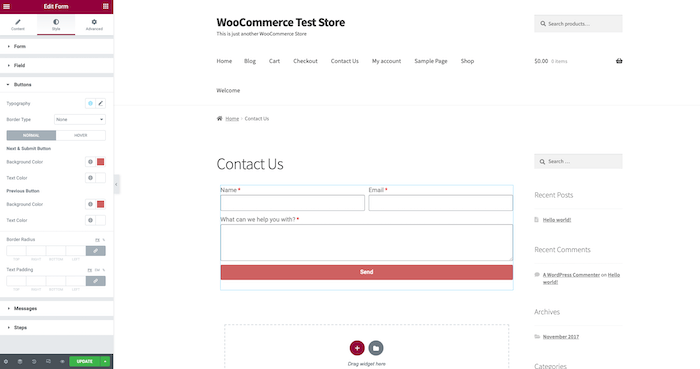
The plugins are easy to install and adding a form to a page on your site is very simple to do. All you need to do is drag the form widget to where you want to place it on the page.
The options available are vast, and you can even create various steps, so it feels more conversational. Pop-up forms are also available.
Having so many options can be a double-edged sword, making users feel a little overwhelmed. Luckily, Elementor have a lot of very good video tutorials to guide you.
What would be nice are some pre-designed form templates for a variety of scenarios (e.g. order form, help form, sign-up form, .etc.).
Recommended for
Elementor’s form widget is specifically designed for WordPress, making it an excellent choice for those who use the CMS.
6. Zoho Forms: All-in-one marketing powerhouse
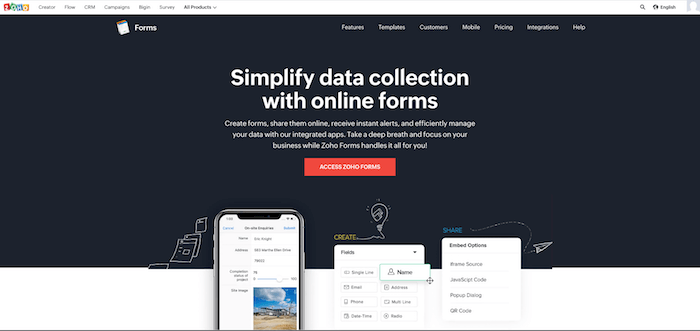
Zoho is an all-in-one marketing machine. Its software covers email hosting, website creation, contact relationship management, surveys, and, of course, forms.
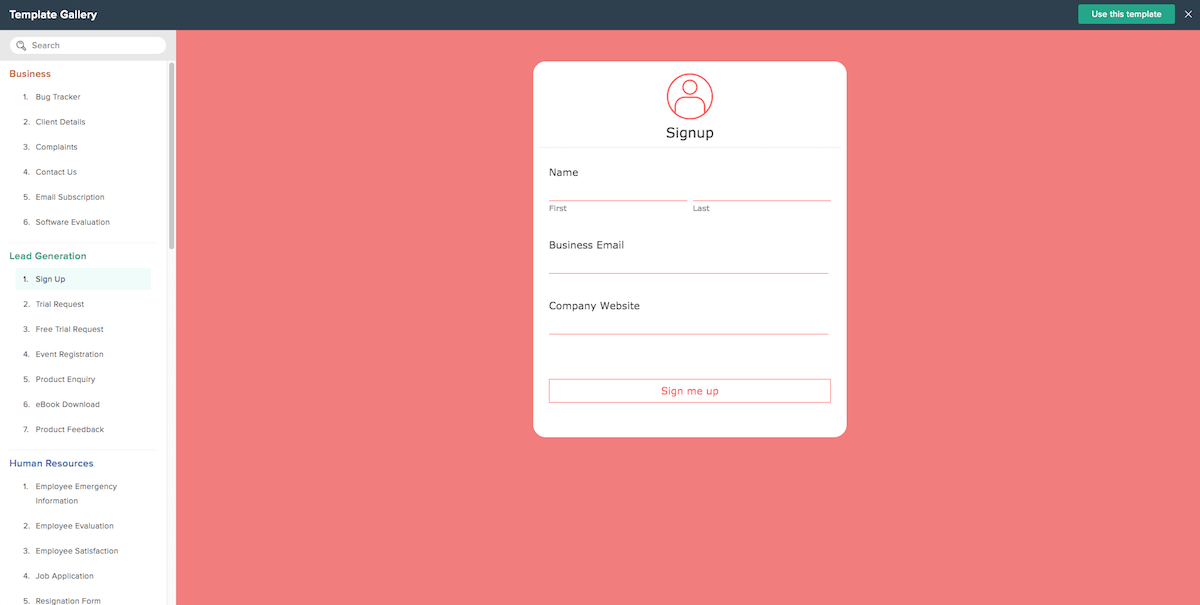
They offer a wide range of templates, sorted by area of interest, e.g. human resources, lead generation, non-profit, business, etc., and you also have a number of design themes to choose from within each template.
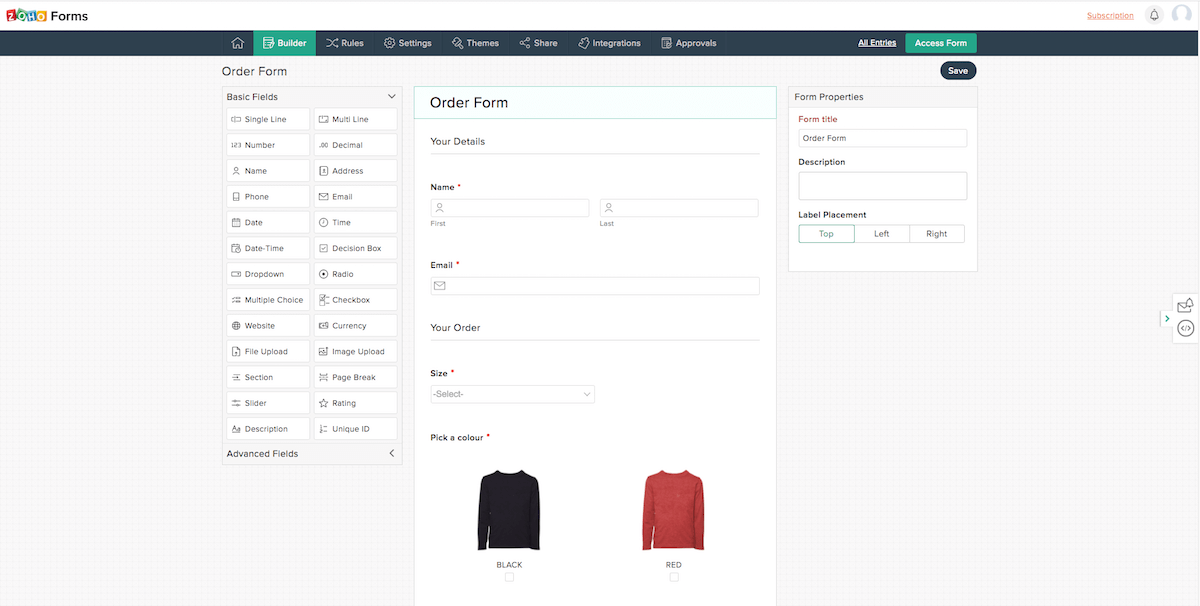
One thing to note is that you won’t find any banners, gamification or scratch cards in Zoho Forms, they keep it simple with longer, more practical forms like order forms, job applications, event registration, testimonial requests, etc.
What you can do is set rules, e.g. if x condition is met, perform x action, collect online payments through a number of payment gateways (limited to 10 transactions on the free plan) and manage form submissions in the CRM.
Some might find this software to have a slightly steeper learning curve due to its many options and advanced features.
Screenshots
Recommended for
Zoho Forms is a great solution for those looking to collect more detailed information and take advantage of the integration with Zoho’s other solutions such as the CRM. .
7. Optimonk: ‘Onsite journey optimization platform’

Optimonk claims to help over 40,000 websites convert leads into customers. And honestly, I can totally see why so many are using this form builder.
They actually call themselves an ‘onsite journey optimization platform’, and when you see all the different options available to you, you can see why they wouldn’t want to limit themselves to being classed as a simple form builder.
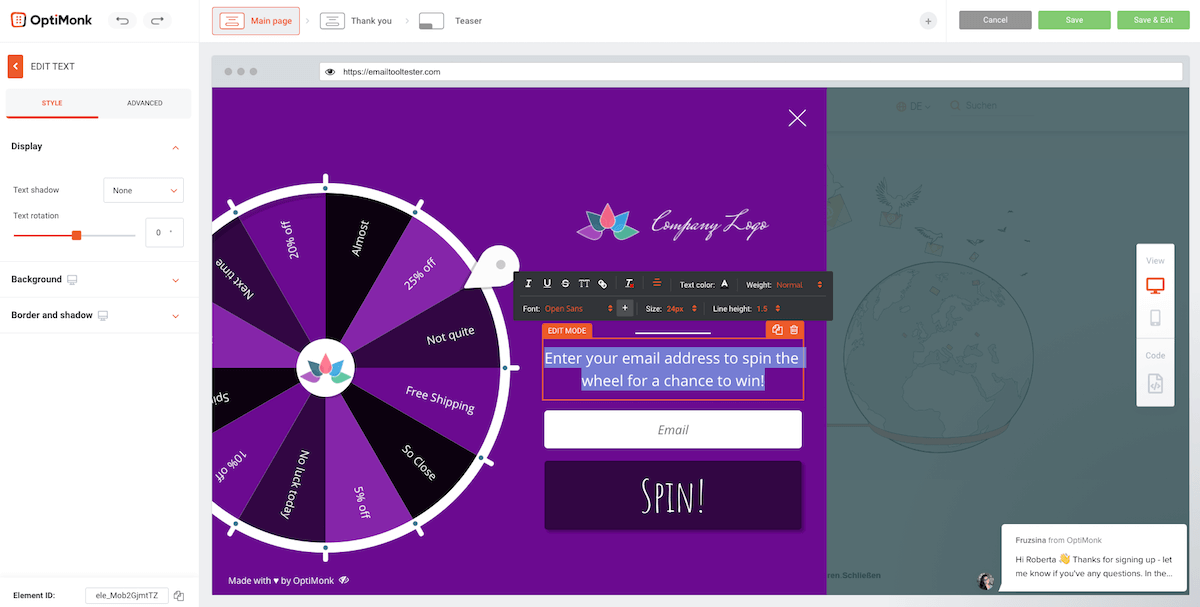
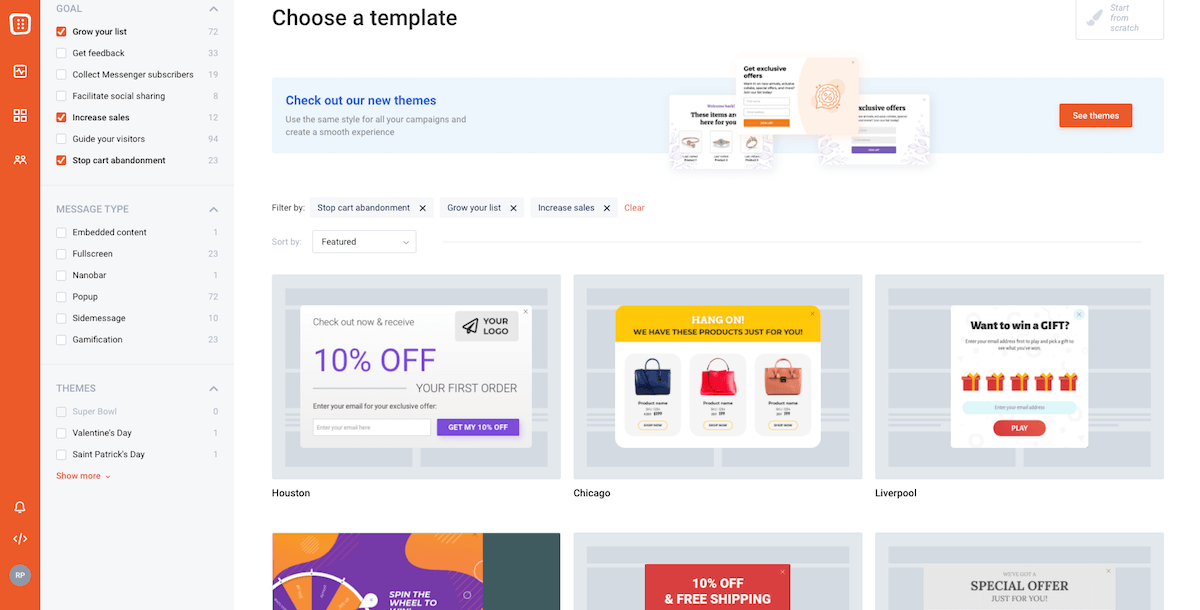
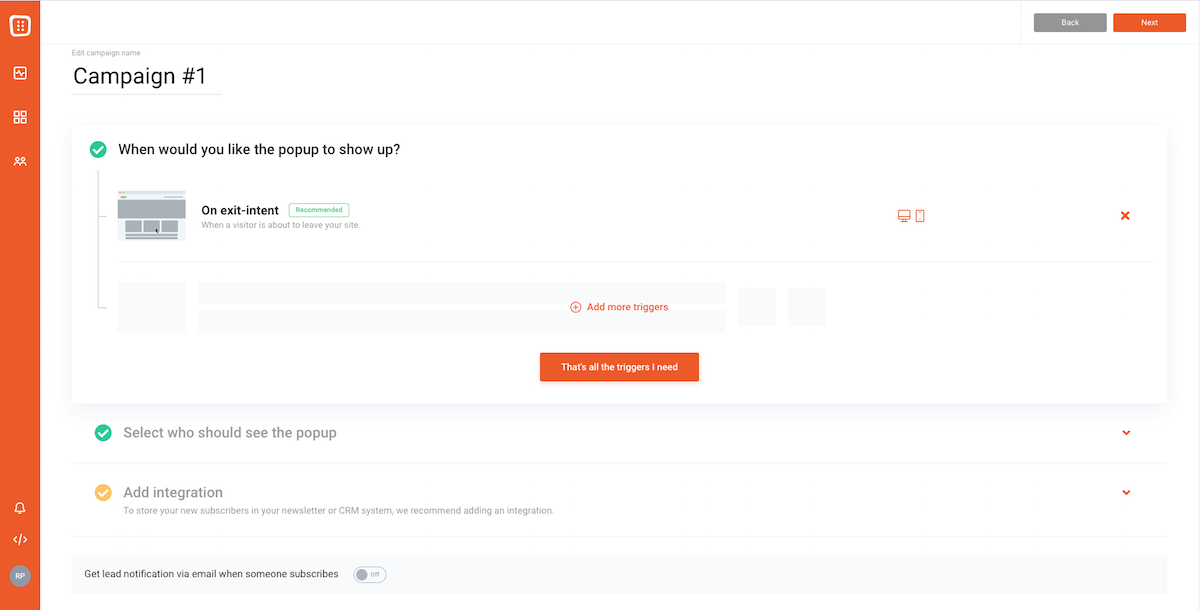
When choosing a template, you can sort by goal (e.g. grow your list or get feedback), message type (e.g. popup or banner) or by theme (this refers to the design and styling options). A cool message type is gamification, which allows you to add wheel of fortune games to your site in order to encourage engagement. All options can be sorted by conversion rate, which is very handy.
Editing the form is pretty straightforward as it uses drag and drop technology and provides you with just the right amount of customization options, in my opinion.
Optimonk’s pricing is slightly different from other online form builders in that it’s based on the number of page views rather than submissions, so this is something to consider.
A negative is that you’ll have to put up with Optimonk’s branding unless you shell out for the very expensive Premium plan.
Screenshots
Recommended for
Website owners who are looking for more than just a basic form builder. With excellent templates for cart abandonment, social sharing, list growth, etc., you’ll find this online form builder has all you need to start converting website visitors into customers.
8. Convertful: Charges based on page views
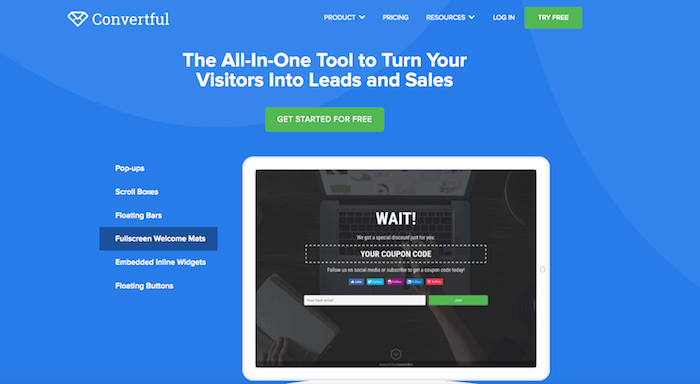
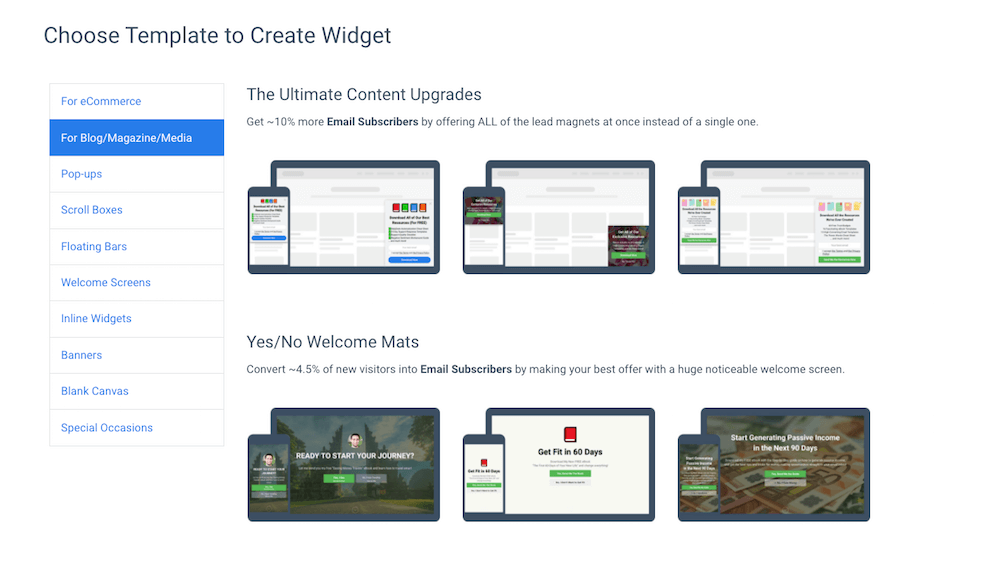
With Convertful, you can create all optin form types, including popups, fullscreen takeovers, scrolling bars, scrolling side boxes and inline forms. There are plenty of templates to choose from or you can start from scratch.
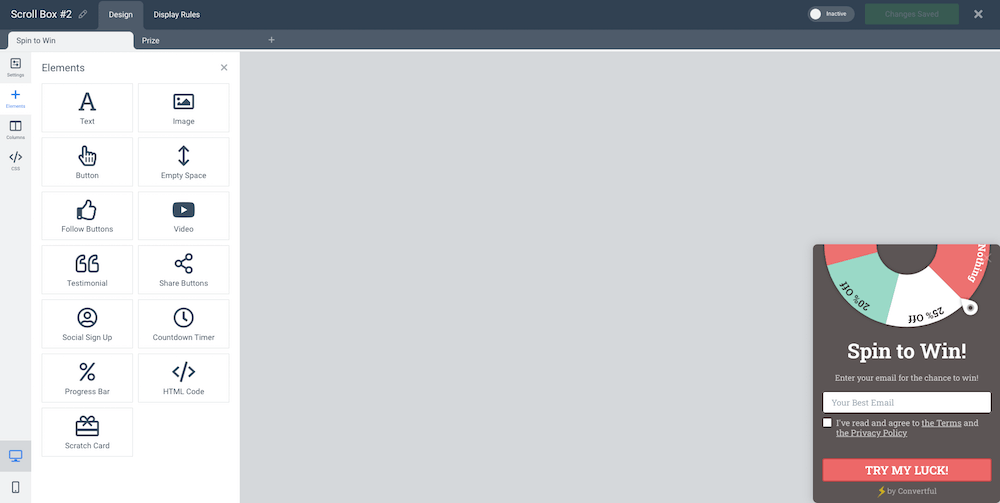
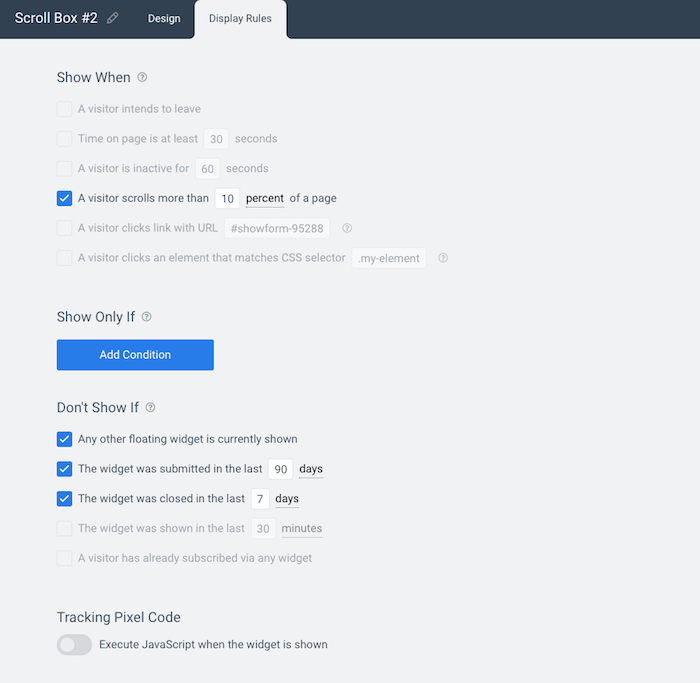
There are also a number of interesting element types you can add, for example, testimonials, gamification and video, and you’ll have a number of display options, e.g., show only if/don’t show if/show when the user scrolls more than x% of the screen.
Like Optimonk, Convertful charges you based on the number of page views (3,000) rather than sign ups.
Screenshots
Recommended for
If you’re looking for an online form builder with a number of message types (popup, banner, etc.) then Convertful is a good option. The free plan includes all templates, or if you want more page views, A/B testing and support, then it probably makes sense to pay annually as you get 3 months thrown in for free.
Sign up to Convertful for free!
9. Paperform: More than a form builder

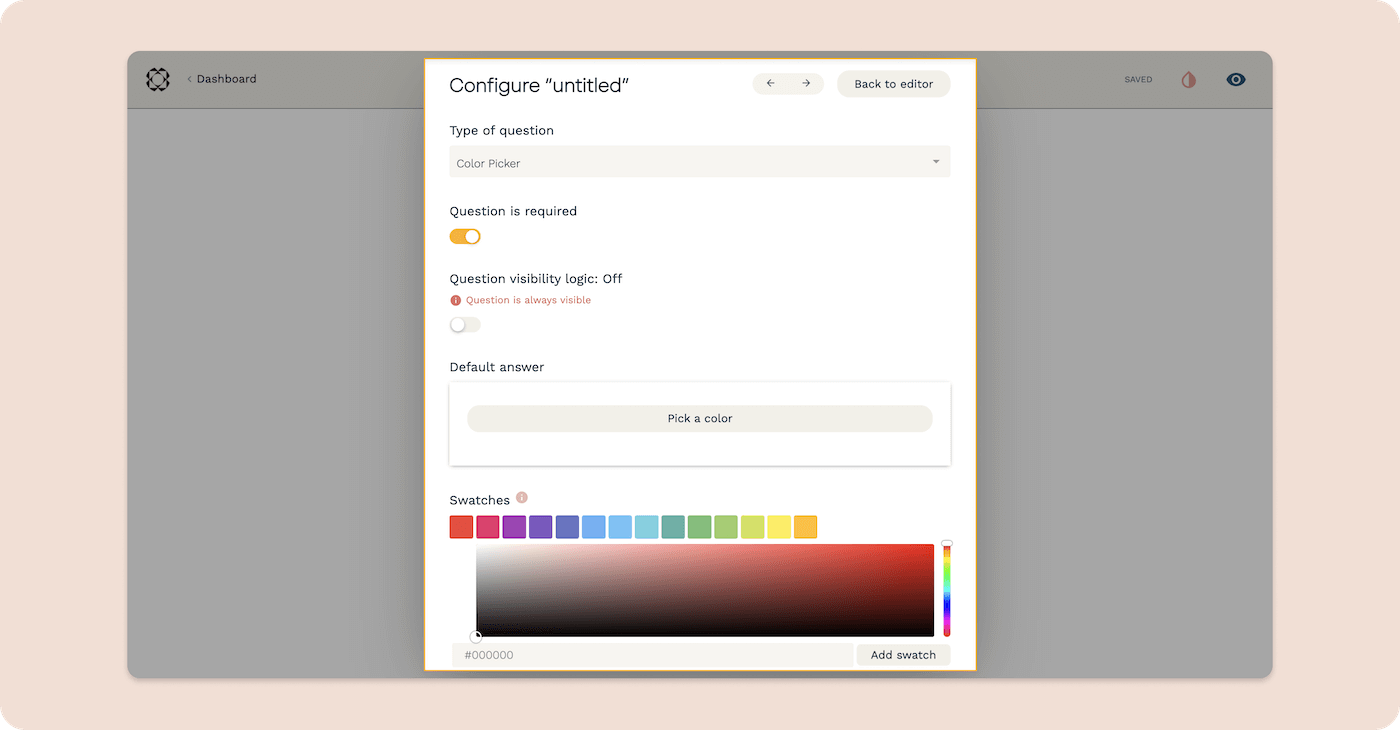
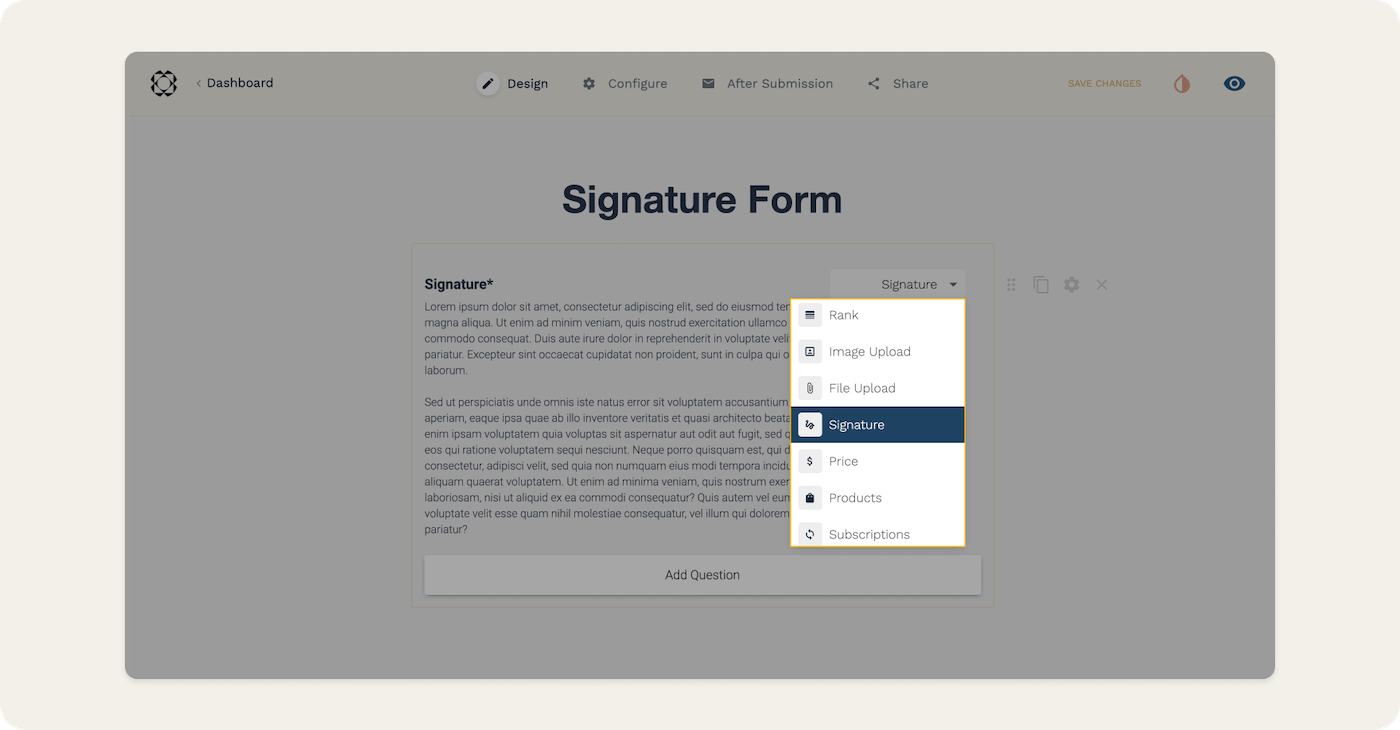
Paperform, an Australian SaaS company, provides you with an all-in-one tool for various business solutions. With over 500+ templates and 2,000 integrations, you can take payments, schedule bookings, perform complex calculations, and design branded forms, surveys and quizzes.
The drag-and-drop functionality, in-app editor and option to create from scratch means it’s as simple as writing a document, so it doesn’t matter if you’re tech-savvy. More advanced users can play around with the custom HTML & CSS capabilities and complex fields like conditional logic and calculation functions.
There are direct integrations with hundreds of apps!
There is no free plan available, but you can try the product free for 14 days (link below). Prices start at $24/month for unlimited forms, 10,000 views and 1,000 submissions. If you'd like everything unlimited, you're looking at paying $49/month
Payment forms can be connected to dozens of processing services, including Stripe, PayPal, Revolut or Square. It’s also possible to upload files.
Screenshots
Recommended for
Small-to-medium-sized businesses looking for a form builder to integrate with all their third-party services.
10. Moosend: Simple form builder
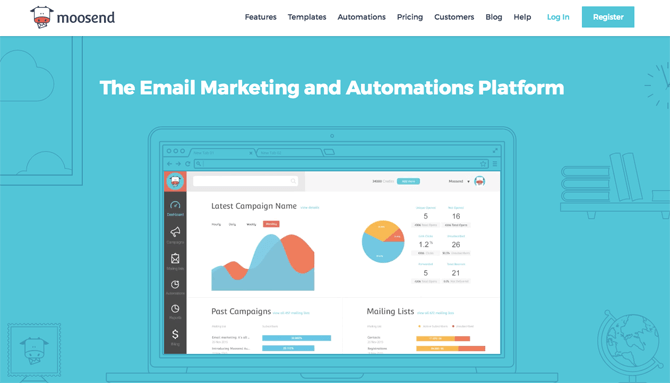
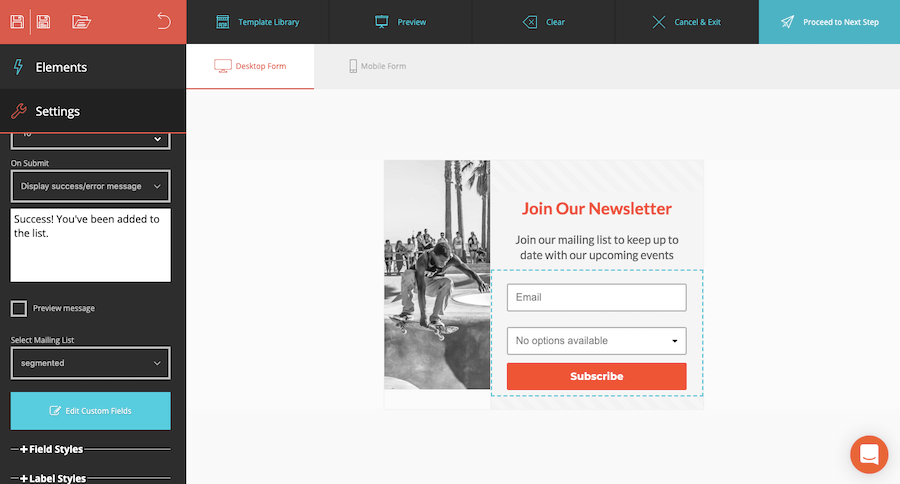
What’s so great about Moosend’s form builder is that it’s easy to use! You won’t have to mess around with any code and the builder feels pretty intuitive, even for beginners. Moosend is an email marketing tool (and a great Mailchimp alternative), so you also benefit from unlimited, unbranded emails.
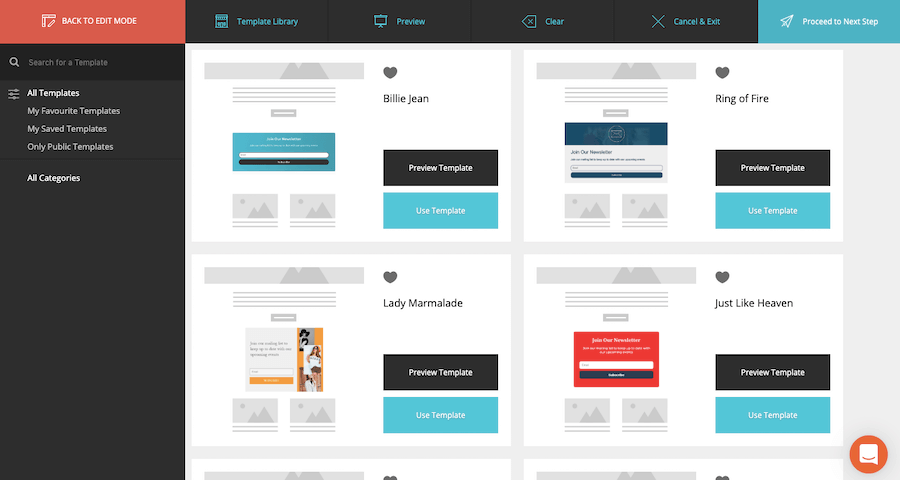
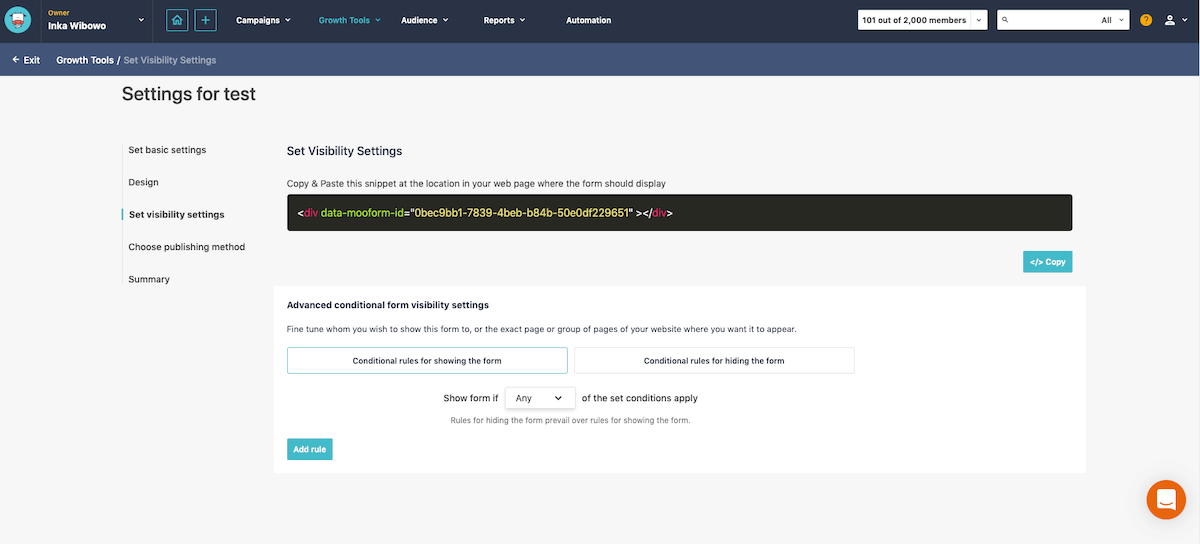
There is a nice selection of modern-looking templates that are easy to edit and you can choose who you show/hide the form from by adding conditional rules. For example, you can choose to show the form only in certain countries, on specific URLs or only on mobile or desktop. The only thing is that the templates are all for newsletter signup forms. We’d like to see some other examples like order forms, event registration forms or job application forms.
Publishing options are the following: publish on your website by connecting it in Moosend, embed the form or share the link.
Moosend gives you complete free reign to customize your forms with JavaScript. You can also upload your own custom fonts. Tons of integrations are available.
Screenshots
Recommended for
Entrepreneurs and small-to-medium-sized businesses looking for an affordable online form builder to help them collect subscribers. If you need a more complex form for taking orders, job applications, etc. then you should look at 123FormBuilder.
>>Sign up to Moosend for free!
11. Ninja Forms: Best solution for WordPress
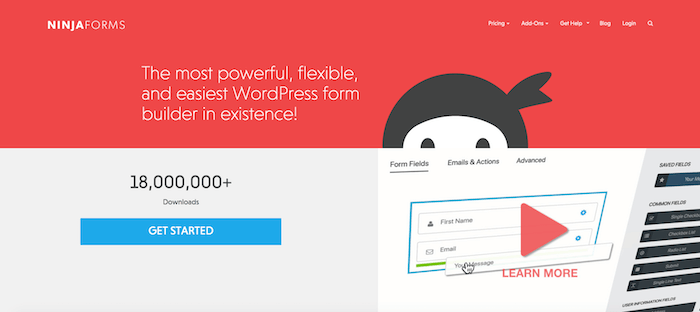
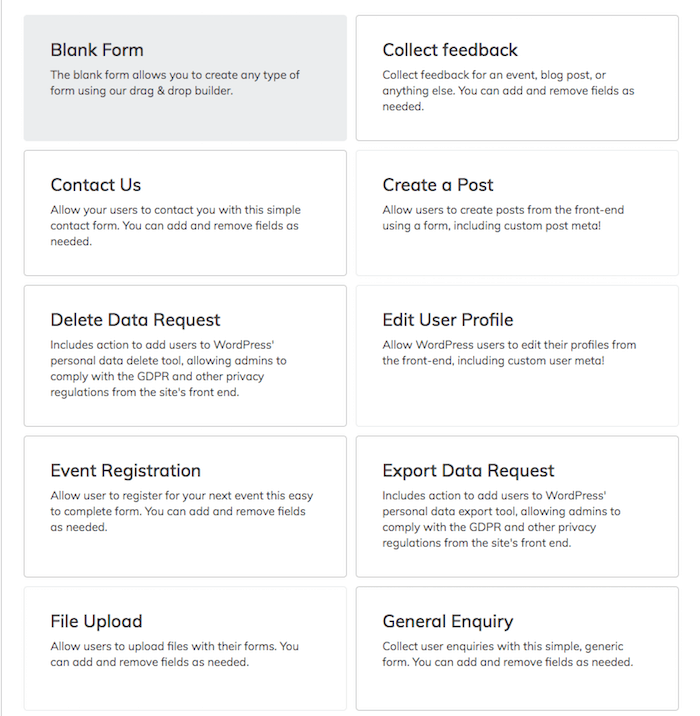
Ninja Forms is a plug-in for WordPress that allows you to easily create any kind of form for your site. They have a number of templates you can use – these are nice-looking, though not overly concerned about design and branding.
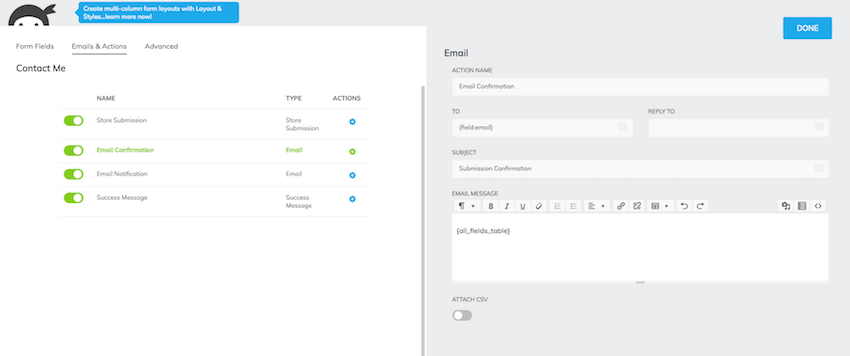
Installation is fairly easy to do, just go to Plugins (in the WordPress backend) and add new. You can get started with Ninja Forms immediately by using their ready-made contact form or build your own custom forms. The Personal plan ($99/year) allows you to connect your forms to an email marketing service like ActiveCampaign or ConvertKit. You will also be able to set up payment forms thanks to the integration with PayPal Express. If you need more add-ons, you can purchase these on top of your yearly plan.
If you have multiple sites then you’ll benefit from their Professional plan ($199/year), which allows for up to 20 sites and the ability to integrate your forms anywhere through the use of webhooks.
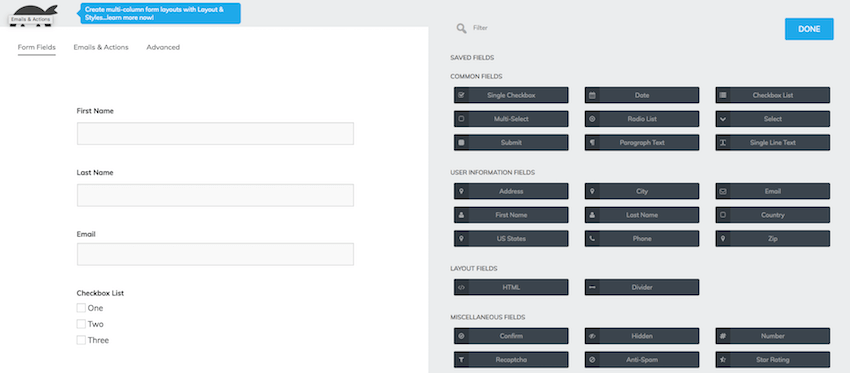
When compared against Gravity Forms (the other form builder plugin for WordPress on this list), I found the Ninja Forms interface to be much cleaner and therefore easy to navigate.
If you want to create a popup, you’ll need to install another plug-in called Popup Maker – not ideal.
Screenshots
Recommended for
I’d recommend Ninja Forms for those operating on WordPress. You can get your forms up and running in no time and embed them on your site using shortcodes. You can also generate a shareable link that you can use in email marketing and other channels.
>> Try Ninja Forms out for yourself!
12. Typeform: For the design-conscious
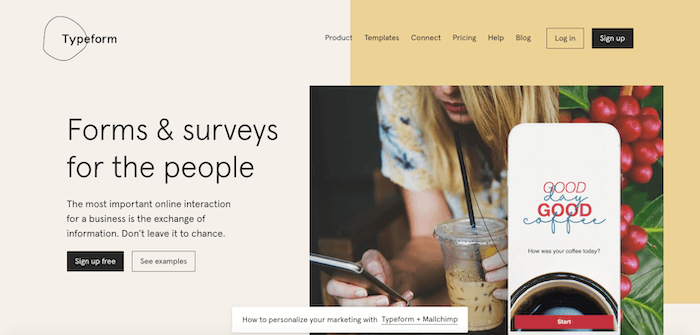
Typeform, which specializes in forms and surveys, has gained increasing popularity since its conception in 2012.
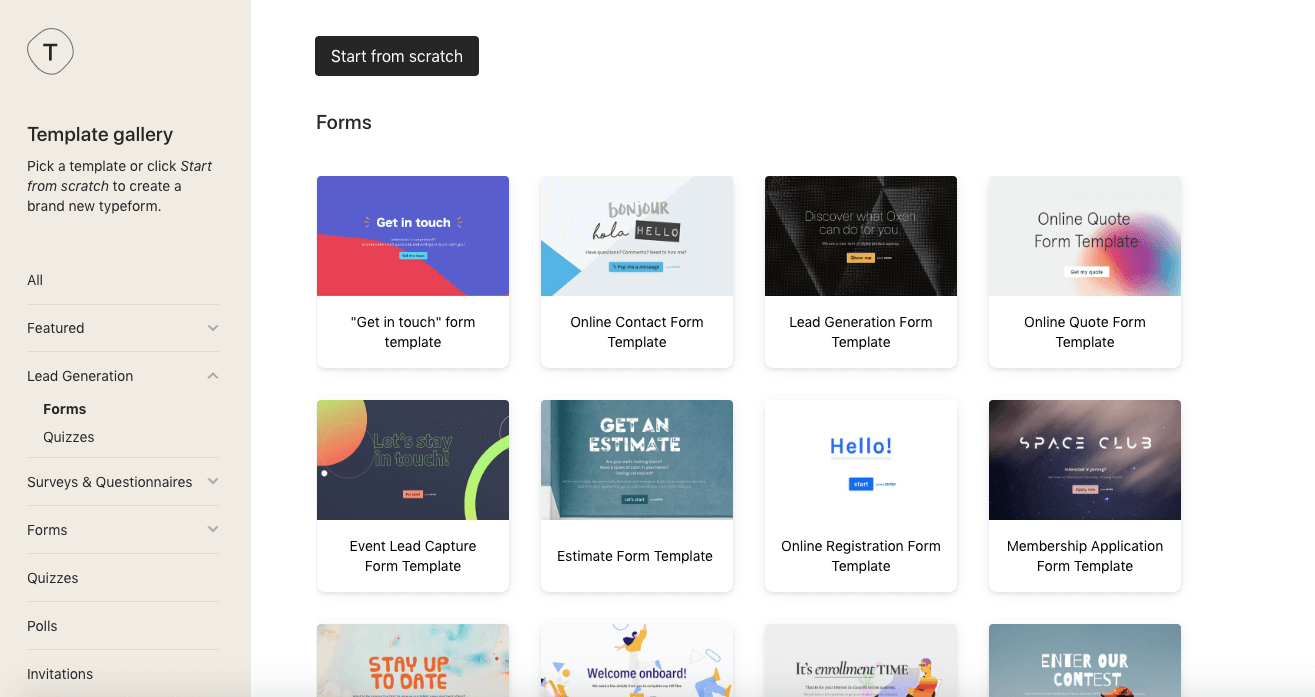
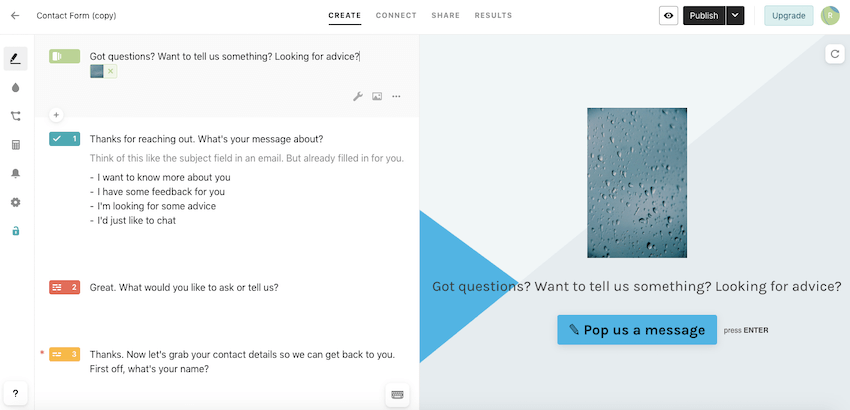
They company has quite a young, hip look, which is reflected in their range of form templates. What’s nice about the way their contact forms are set up is that the whole experience of filling out a form is very personalized and feels rather human. The way they do this is by giving you various options and using if/when logic to jump to the next question.
It might sound complex, but they are actually really simple to set up and edit.
You’ll need to connect your account to your email marketing provider or CRM as Typeform doesn’t include this in their offering.
Screenshots
Recommended for
Business owners wanting to give their users a personalized experience through the use of modern, fun contact forms. This solution is really for those who want to convey a strong brand and really speak to their users.
It’s free to get started but you’ll only be able to collect 100 responses before you need to upgrade to one of their paid plans. These start at $35 a month, so it definitely isn’t cheap.
It’s important to note that the forms created with Typeform are not like standard contact forms and some users may find it a bit long-winded having to go through a series of questions to submit their details. For this reason, they’re not for every business.
13. Gravity Forms: Another WordPress plugin
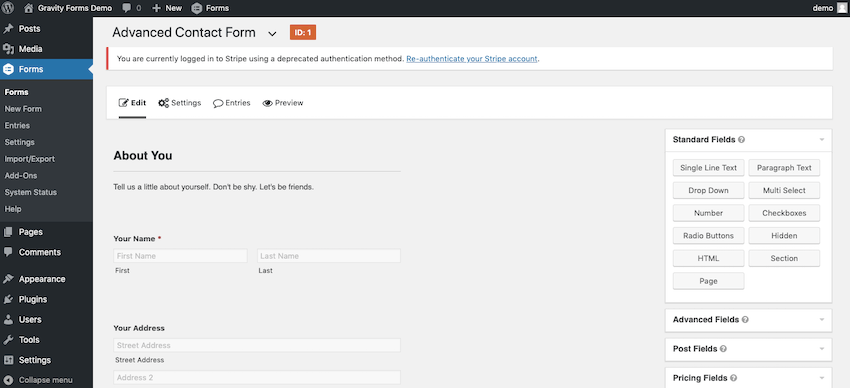
Gravity Forms is a plug-in for your WordPress site, and will feel familiar to anyone used to using the WordPress backend. That said, setting up your contact forms from scratch is a bit fiddly and definitely not as user-friendly as other online form builders on this list. This is because there are a number of options available to you, allowing you to create fairly advanced forms that include file uploads and CAPTCHA to prevent spam.
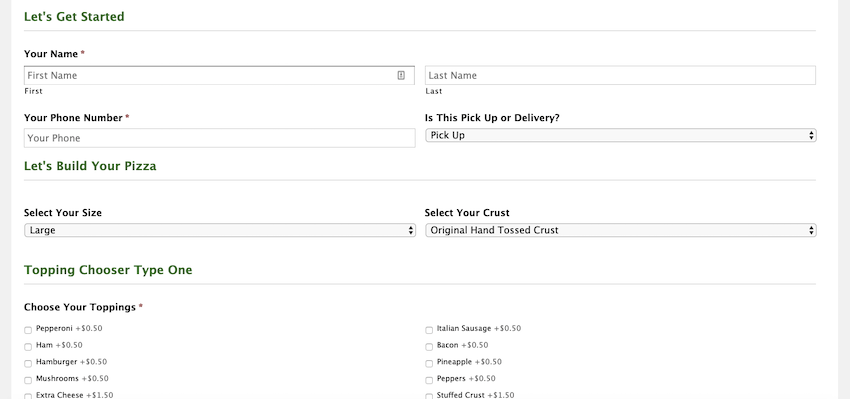
Their example forms show everything from product order forms to job applications to a custom pizza order form (see screenshots below).
Within the form settings, you can control what happens when a user submits a form. You can redirect users to show them a custom message, send them to a confirmation page, or redirect them to any other link you want.
The only thing I didn’t see was the ability to set up pop-ups or banners.
Screenshots
Recommended for
If you’re operating on a WordPress site then the Gravity Forms plug-in could be a good option for you, though the learning curve could be a little steeper for people with little tech experience.
Also, bear in mind that you’ll have to configure an email service in order to send notifications.
Licenses start from $59 a year.
>> Try Gravity Forms out for yourself!
14. Cognito Forms: Create Unlimited Forms for Free
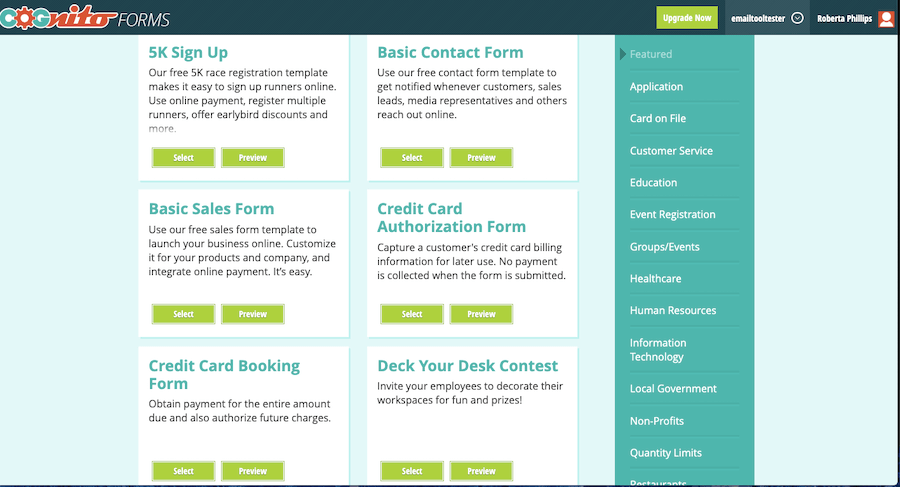
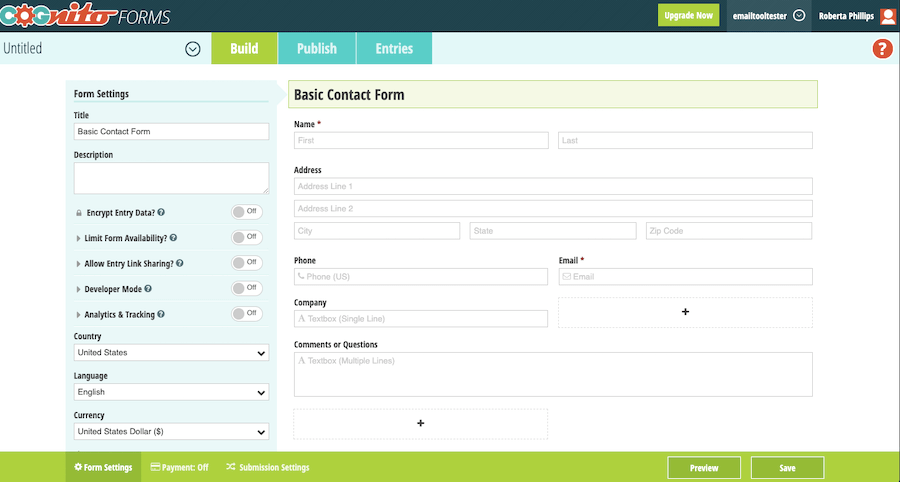
Cognito Forms offer tons of templates for every scenario, but the designs are all the same, the only things that change are the fields.
Cognito Forms offer unlimited forms for free, setting a cap at 500 entries. If you require more entries, you can move up to one of their paid plans, which aren’t too expensive ($10 for 2,000 entries; $24 for 10,000; $99 for unlimited).
Even on the free plan, you can accept payments, though only through Stripe – PayPal and other payment methods are reserved for higher paid plans. Data encryption is also unlocked on the higher tier plan.
File uploads and conditional logic are included on all plans.
Screenshots
Recommended for
Cognito Forms is definitely not for the design-conscious. However, if you are looking for a cheap (or even free) form builder then Cognito Forms will do the job.
15. Wufoo: Accepts payments
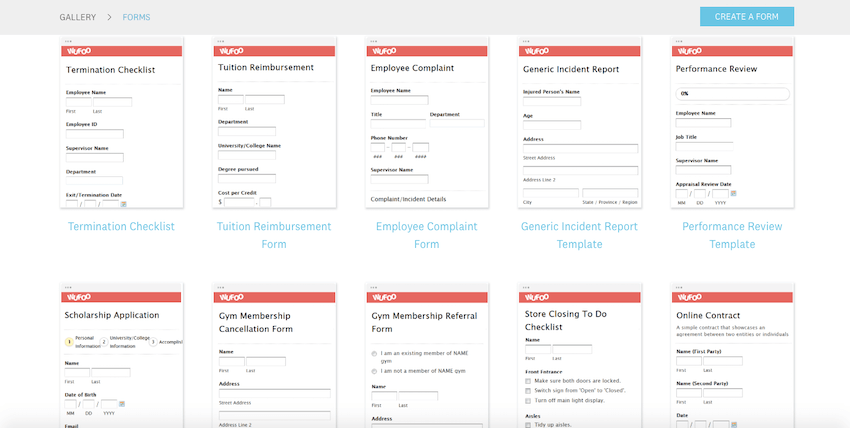
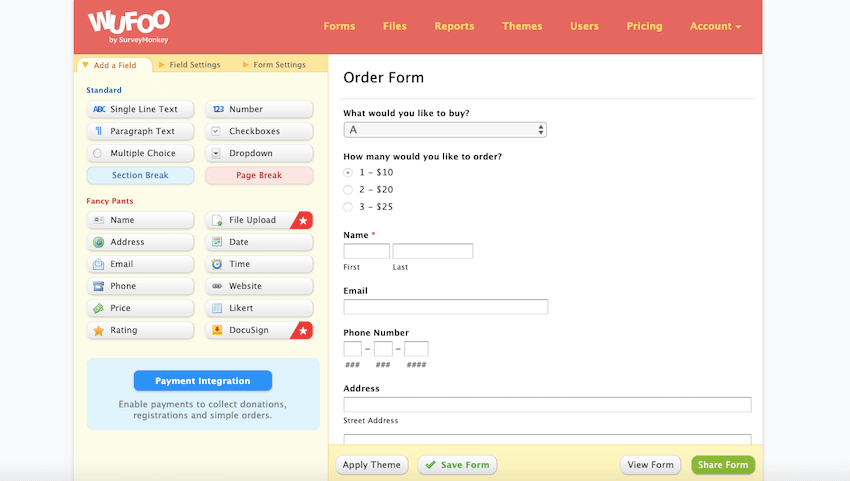
Wufoo has over 400 customizable templates, which will get the job done. I’d recommend using a template as the number of options available in the editor could be slightly overwhelming for some. I was surprised to see that the option to set up a confirmation email was so hidden, perhaps because it’s not included in the free version – the plan up will cost you $19 a month.
With Wufoo you can also accept payments via PayPal or Square, although this is a little expensive at $39 a month. All in all, it's not a bad product, but it’s a bit surprising that they haven’t done a major editor design update in at least 7 years. Maybe their users are just happy with what they got.
Screenshots
Recommended for
Those who aren’t looking for anything too fancy design-wise. Starting at $19 a month, it is cheaper than some of the other online form builders and has enough features to do what you need it to do. They also have a host of integrations available.
Best Free Form Builder
There are plenty of excellent free form builders on this list. In order to choose the right one for your project, you’ll need to first consider your requirements.
HubSpot is our top choice as it is super easy to use and allows you to collect up to 1M contacts. It also includes a number of other very attractive CRM features and basic email marketing.
Other online form builders like AidaFrom and JotForm also offer free plans, but you’ll be limited to just 100 responses a month. Alternatively, you can go with a product that doesn’t limit submissions but instead caps your monthly page views at 3,000: Optimonk and Convertful are our top choices in that case.
Best Form Builder For Wix
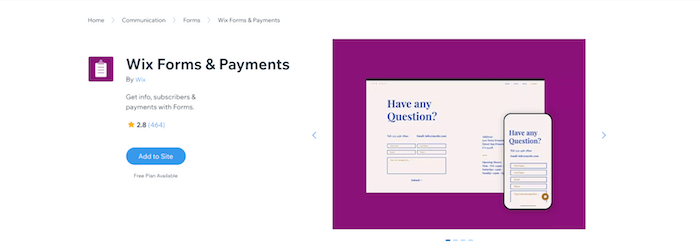
Wix Forms are available to those who have built their website using Wix, and they’re not bad at all.
You’ll have a large variety of templates to choose from, such as contact, order, registration, application, subscribe, etc. Because it’s offered by Wix, you’ll be able to easily keep your form on brand and manage submissions and your site under the same roof.
Though if you’re experiencing problems with Wix Forms or are curious to see what your other options are, there are a number of online form builders to bear in mind.
123FormBuilder, HubSpot and JotForm all have a direct integration with Wix, and you can get started for free.
Conclusion: The best online form builder goes to . . .
Though there are tons of online form builders out there, I didn’t want to overwhelm you with too many options. Hopefully, you’ve found one in this top 14 that covers your needs.
For me, the top choice is definitely HubSpot for ease of use, price and features. Their powerful built-in CRM, email marketing and pop-ups/banners make this the best online form builder. It’s a good option if you’re not tech-savvy as the clean interface guides you through every step with just the right amount of options. That said, if you'd like a wider range of templates and don't mind paying a bit more then AidaForm, 123FormBuilder and JotForm are good solutions.
Though you can use HubSpot with your WordPress site, some might prefer to keep their contact forms within the same WordPress backend. In this case, a plug-in like Elementor or Ninja Forms is a good option.
I hope you found this helpful! Let me know if you have any questions or comments below.
The authors
Learn more about us

We keep our content up to date
01 Aug 2022 - Moosend is no longer free
04 May 2022 - Moved JotForm up and updated Paperform
20 Oct 2021 - Added Elementor
13 Jan 2021 - Added Zoho, Optimonk, Convertful and Wix Forms
09 Nov 2020 - Added table
21 Jul 2020 - Added AidaForm
23 Jun 2020 - Moved JotForm up due to improved templates
17 March 2020 - Added Moosend, PaperForm, and Cognito Forms
Our Methodology
This article has been written and researched following our EmailTooltester methodology.
Our Methodology