
Weebly Review We test “free & easy” Weebly


Tooltester is supported by readers like yourself. We may earn an affiliate commission when you purchase through our links, which enables us to offer our research for free.
Weebly is one of the largest site builders with more than 50m websites built. Unlike many competitors, Weebly have traditionally been more interested in improving their platform’s technology rather than running expensive marketing campaigns.
However, after Weebly got acquired by ecommerce company Square in 2018, we noticed a considerably slower rollout of new features (especially when Square and Weebly’s new store builder, Square Online, was launched). In fact, Weebly's Product Development blog didn't get more than one update per year (before they completely shut it down). And a few of their features are starting to look a bit outdated - some of the templates aren’t as modern as they could be, and several elements of the classic editor (which is still used to build non-ecommerce sites) also hark back to less glamorous times.
While this sends mixed signals to us as a review site, we can still see cases where it makes sense to use Weebly over other website builders - although the more Weebly lags behind its faster-evolving competitors, the smaller this list grows. So, let’s explore Weebly’s pros and cons in more detail.
Weebly Review: What to expect?
Weebly offers a drag-and-drop website builder with 40+ mobile-friendly themes. It includes a blog, image galleries and an online store (powered by parent company Square). Next to the free plan there is Weebly Professional at $12/month, which is the cheapest ad-free plan and lets you use your own domain name.
The first thing we noticed when trying Weebly was how easy it is to use. It’s like stepping into someone else’s kitchen and immediately finding everything you need to cook. The tools, like their drag and drop editor, are intuitive and super friendly to beginners.
They also keep the pricing simple. After the free plan (with a Weebly ad in the footer), there are three premium offers called Personal, Professional and Performance, which we describe in more detail in a minute.
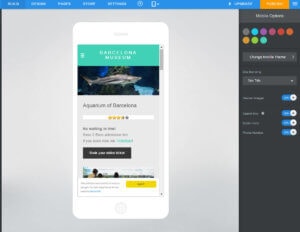
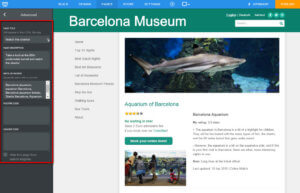
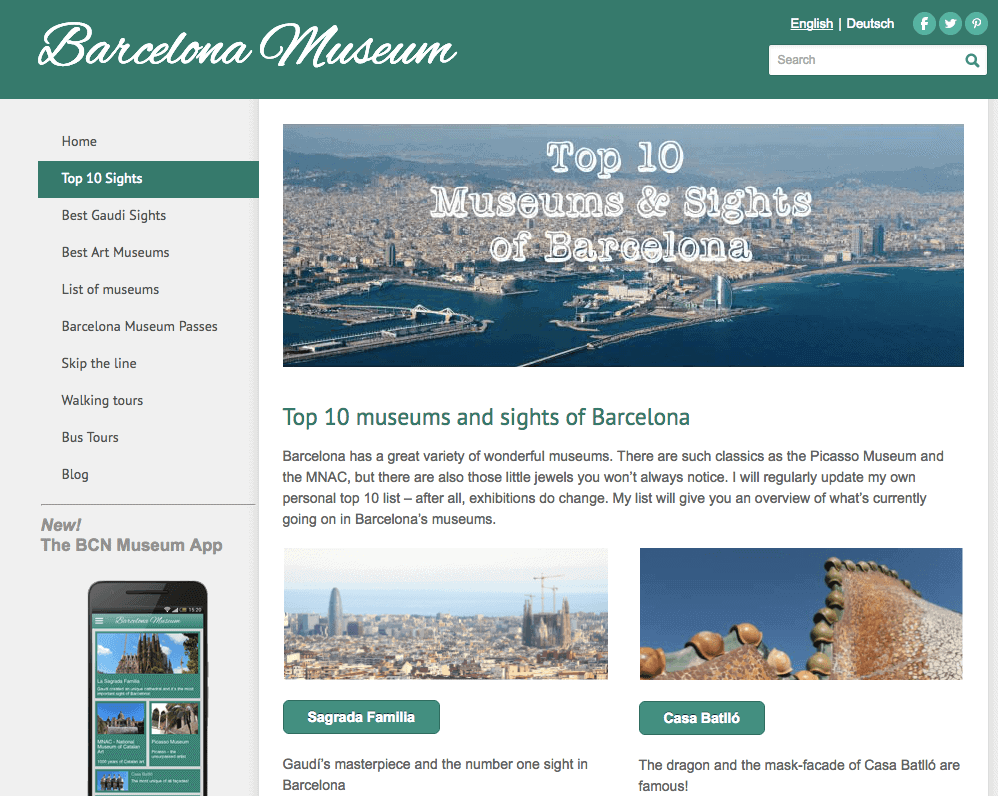
A thing to note is that we've used Weebly to build a couple of projects ourselves. One of them, Barcelona-Museum.com, comprises more than 100 pages, and we were very impressed with how well Weebly handles larger websites. For instance, Wix or Squarespace would make it harder to manage a huge number of articles.
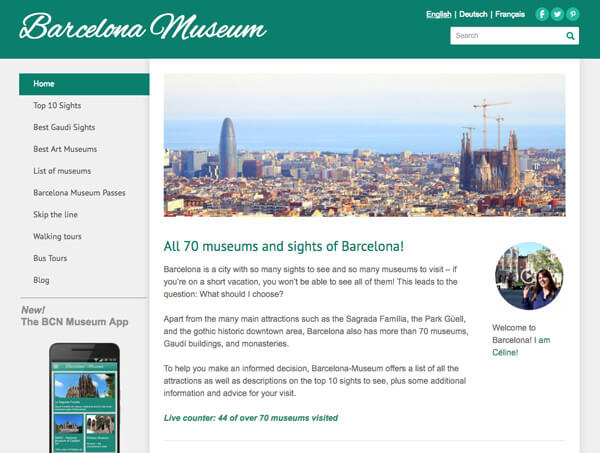
Landing page for our Weebly-created website. Works great with 100+ pages
On top of that, Weebly makes it easy to edit or add a bit of code, so if you or someone on your team knows programming, the sky’s the limit.
But, there are some limitations too, and many features that have been somewhat neglected now that Weebly’s focus seems to be solely on ecommerce. So, let's dive into the nitty-gritty of the Weebly website builder:
Videos
- Weebly Video Review
- Weebly vs Wix


Screenshots
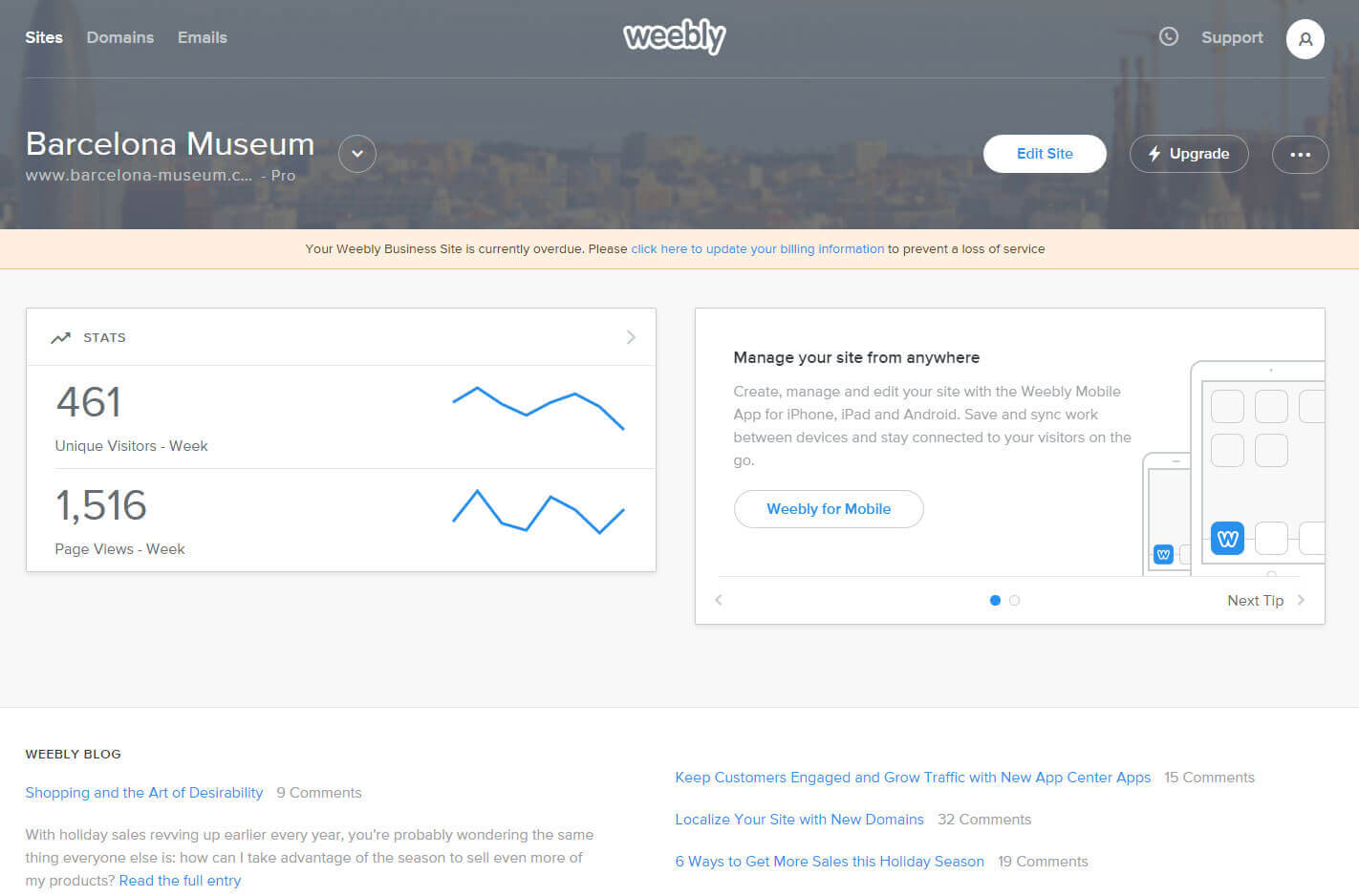

Weebly Pricing
Free
Displays a Weebly ad in the footer and doesn't come with a proper domain name.
Personal
Connect your site with a domain name, but the Weebly ad shows in the footer.
Professional
Includes additional features such as video and audio players and phone support. Ad-free.
Performance
Comes with additional ecommerce features for larger web stores.
Monthly prices based on a 1-year contract. Free domain the first year. It renews at $19.95 per year.
Pros and Cons of Using Weebly
- Pros
- Cons
Pros
-
Ease of use
Every single website builder claims that they are the easiest to use. In the case of Weebly, it’s true.
-
Responsive Themes
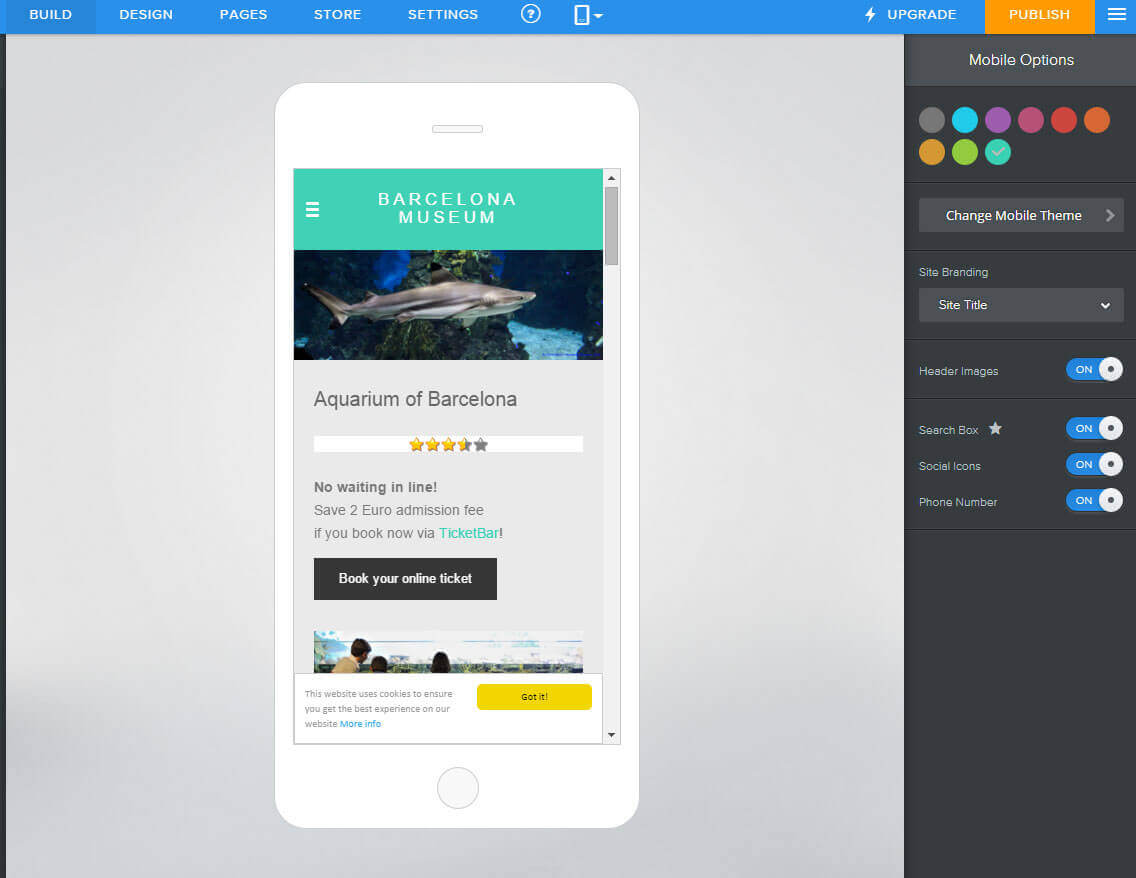
Weebly’s themes not only look great but they will also perfectly adapt to mobile devices. If there only were a few more of them!

-
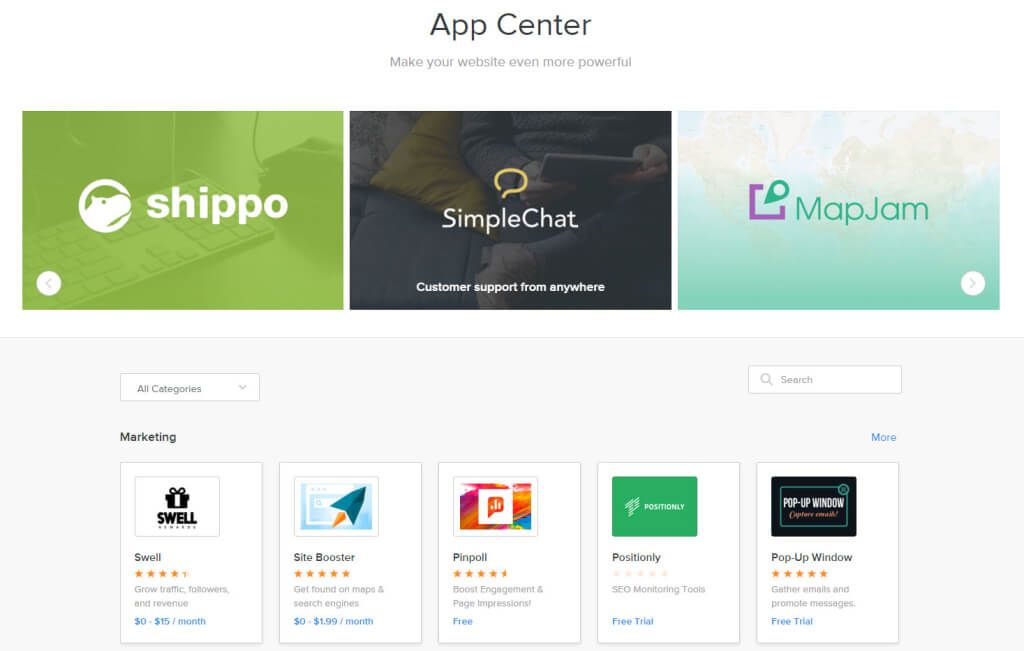
App Center
You can add additional features to your site with only a few clicks. There’s a good selection of Weebly’s own apps as well as third party ones.

-
Team Management
If you’re not the only one who works on your website, you can assign other editors and give them access.
-
Membership Areas
With Weebly you can open certain parts of your website to members only. It’s up to you if the registration is publicly available or not.

Rating Details
Let’s now take a look at some of Weebly’s key features in a bit more detail:
What Makes Weebly So Easy to Use?
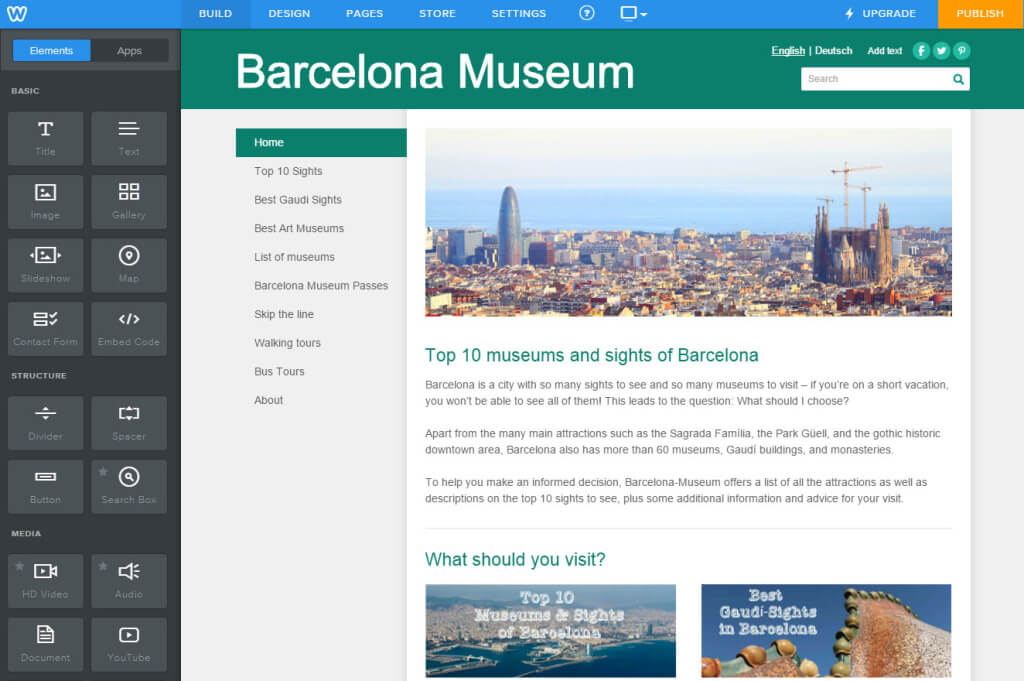
Good question. The first thing you’ll notice is how nicely the drag and drop interface of their classic editor is designed. Just select the element you want on the left, and place it on your layout on the right.
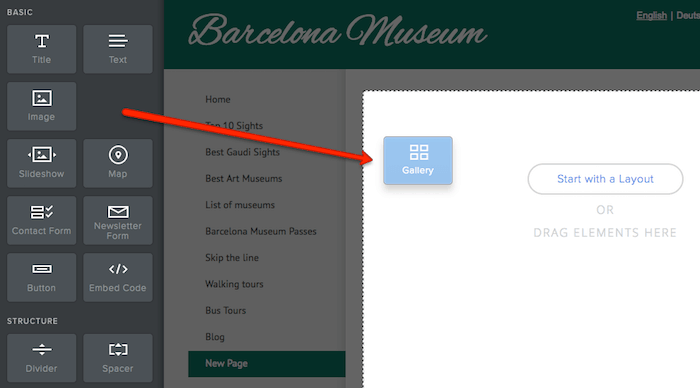
Weebly’s excellent drag and drop page builder.
You’ll find that elements snap into place and arrange themselves perfectly on the page. Other solutions, such as Wix, forego the grid system, so it’s quite possible to end up with overlapping elements. With Weebly, no risk of that happening.

Clean, sharp grid-based layouts make Weebly websites easy to digest
Working with text is also a breeze in Weebly. You just click what you want to edit and type your own words in the box. Some other solutions use “entry masks” which are a bit more abstract and not always easy to work with.
The navigation system also works wonders. You can dig deep into menus and submenus: Weebly handles them like a charm.
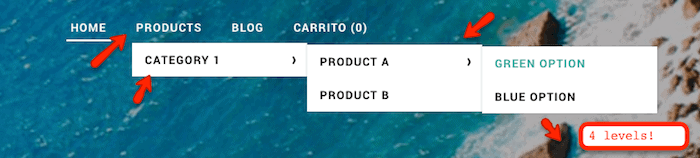
No amount of navigation level is too complex for Weebly.
Finally, if you get stuck anywhere, the Weebly knowledge base can answer a lot of questions through clear tutorials and step-by-step guides. Failing that, the support is excellent, whether by email, chat, or phone.
So are there any downsides? That depends. If you want more freedom with your layouts, then you might feel frustrated by the rigid grid system. You should go for Wix. This competitor also has an automated solution (Wix ADI) that can build the website for you pretty much by itself. You can possibly shave off a few minutes of your website building time.
There are also two things we’d like to see. First is a global undo button. You can undo what you type in text boxes, but it would be nice to erase mistakes when you move or add elements. Secondly, Weebly doesn’t have a general media database that keeps all your pictures. You’ll have to re-upload images for every element that needs them.
While the editor generally works pretty well, some elements could do with a bit of an update. The image upload editor, for instance, looks like a relic from late 90s web design. And unlike other web builders that offer direct integrations with stock libraries like Unsplash or Getty Images, Weebly only offers Flickr (with user-contributed images of questionable quality). In general, it feels like you have to work a little harder with Weebly to get the crisp, professional-looking website that often comes out-of-the-box with other website builders.
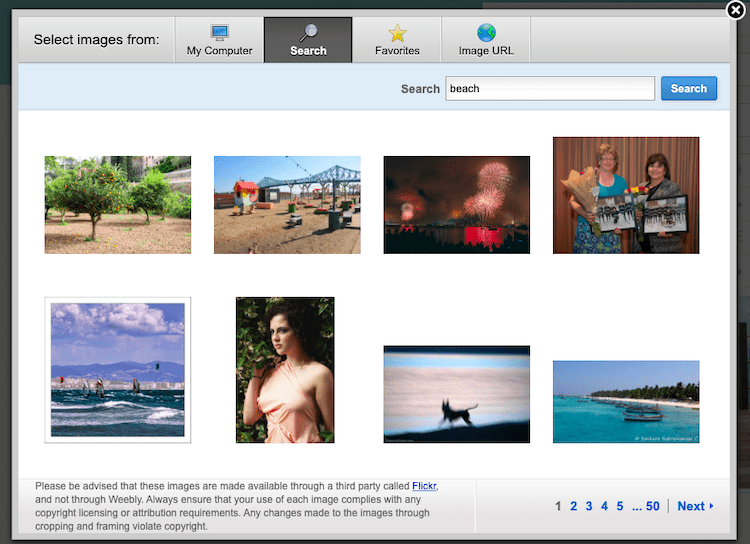
Weebly’s outdated image upload window (and Flickr image library)
However, it seems the experience is different (and perhaps better) for those building an online store rather than a regular site – there, you get the option of using the new Square Online editor, rather than the classic Weebly editor. Find out more in our Weebly ecommerce review.
Which Weebly Pricing Plan is Best for Me?
We’d say the main question to ask yourself is: do I need a fully ad-free website? If so, you will need at least the Professional plan.
It will offer everything you need for displaying information about your services, portfolio or company details. Other features of the Professional plan are:
- Fancy header with slideshow or video background.
- Integrated video / audio player
- Password-protected pages
- Membership module – to let users sign in and access private sections of the website
- Multiple blog authors
- Site analytics
For a more complete breakdown, please refer to our full Weebly pricing comparison page.
SEO: How Will My Weebly Site Rank On Google?
Let’s get one thing out of the way first: if you are an advanced SEO expert who absolutely needs to rank #1 on search engines for a really competitive keyword, you might have a tough time with Weebly. It’s not impossible, but there are limitations:
- Your headings are limited to H2. There’s a free app that lets you add headings from h1 to h6, however, it messes a bit with your formatting. We wonder why Weebly doesn’t integrate it into their system.
- Certain pages (categories and product pages) add a mandatory string to your URL. You get things like www.yoursite.com/store/p1/my-product/yellow. Not a huge issue unless your site is not in English. Same with the blog posts, they’ll have ‘/blog/’ in the URL structure and this can’t be changed.
- Adding structured data ( Rich Snippets) is done via source code. But you are on your own as Weebly doesn’t help.
On the plus side, Weebly does things really well when it comes to:
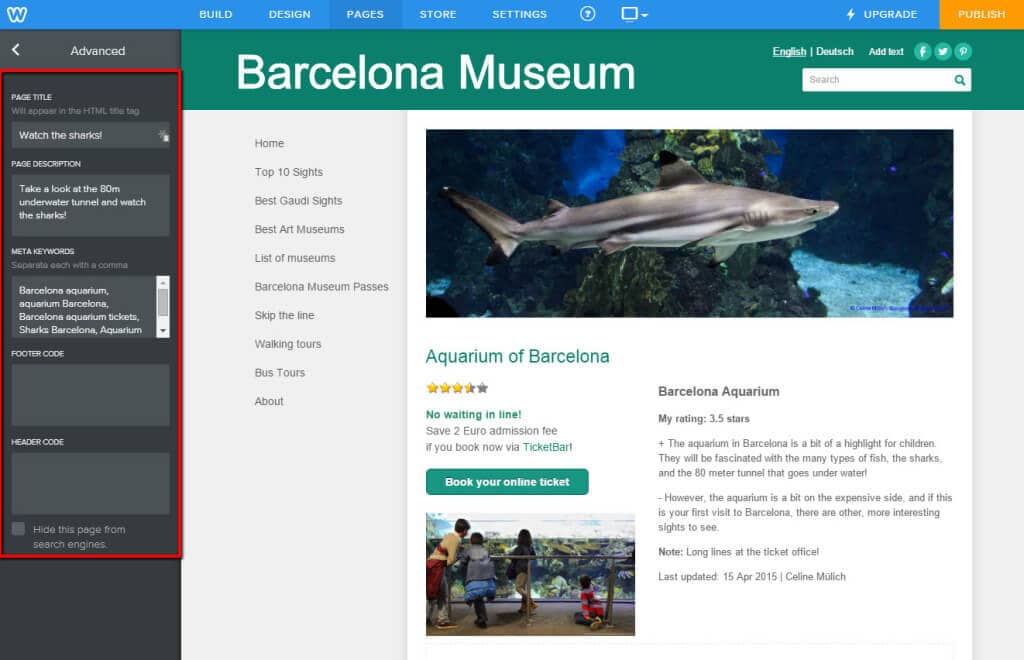
- URL, title tags & meta-descriptions. You can customize them, along with alt texts for images. This is especially important to rank your images.
- 301 redirects. You can control them to avoid broken links when a page URL has been changed. Google deeply dislikes 404 pages.
- Image optimization. Weebly does a great job at compressing the images you upload. This improves speed, always a boon for SEO.
Still a bit confused about SEO? Don’t forget that we have a full guide on the subject here.
Security & Backups: How Safe and Secure is a Weebly Website?
As far as we know, very safe. The company takes security very seriously. They promote strong passwords, and offer SSL encryption on all plans. Especially important for on-site personal data exchange (e.g. credit card or email address).

Weebly offers de facto SSL encryption on all plans, even free ones.
Unfortunately, we wish Weebly offered more in the way of backup and restore systems. You have to take care of it manually by saving your site as a .zip file regularly. And there’s no restore function in case disaster strikes. Wix, for instance, tracks new changes and lets you jump back in time to a previous version of your site.
Weebly Design Options and Templates: Making it Look Good
We have a detailed article about Weebly’s templates where you can read the main pros and cons. However, we want to give you here a quick overview of the main features here.
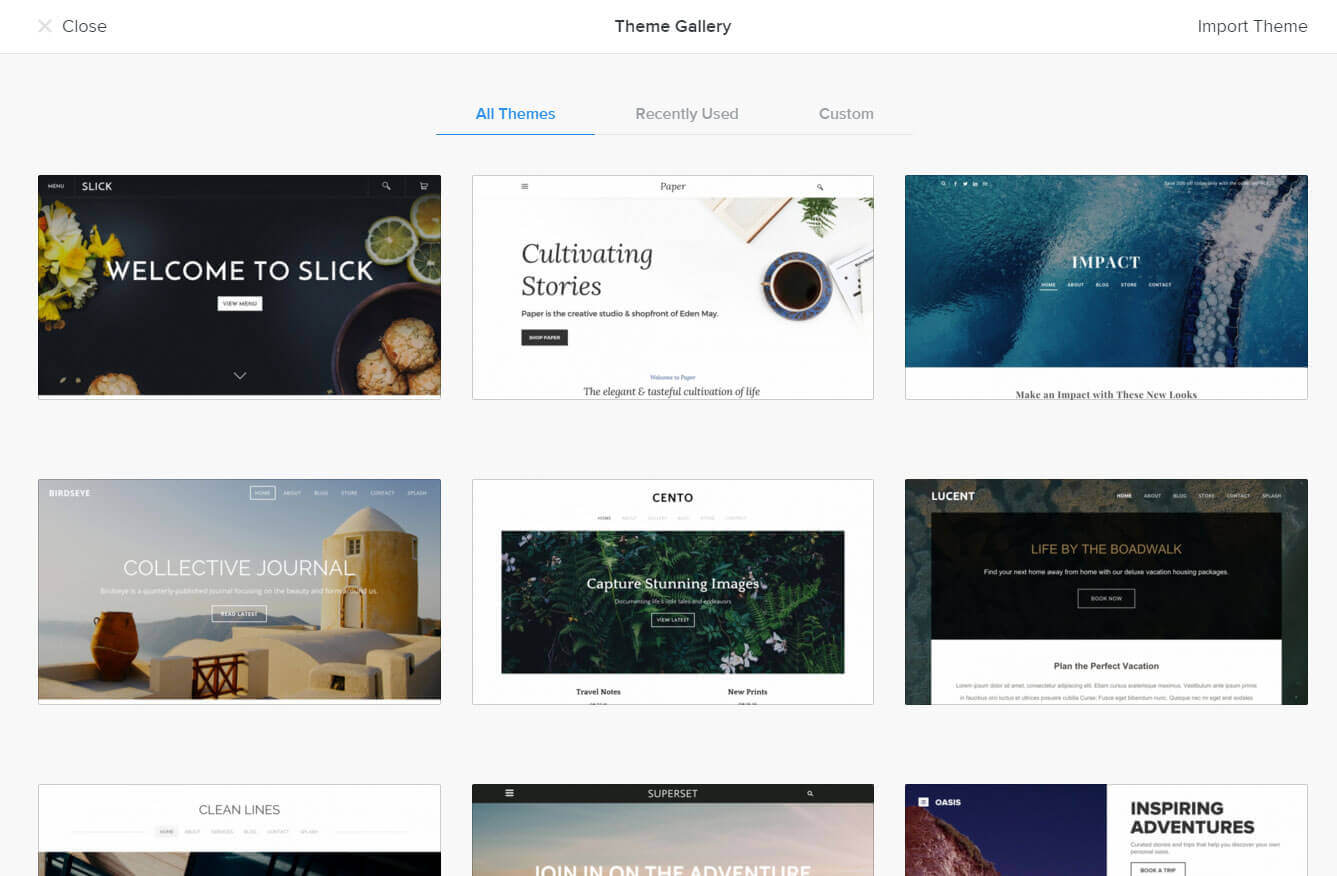
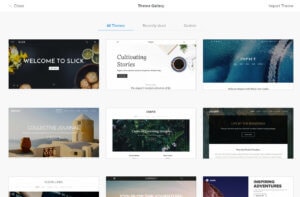
The first thing to note is that Weebly doesn’t have a ton of template designs (only around 50). You’ll get a much wider variety with web builders like Wix and Squarespace. And while the templates generally look nice, they aren’t quite as modern or eye-catching as you’d find with other website builders (it doesn’t look like they’ve added any new templates in a while). There are different categories available: Online Store, Business, Portfolio, Personal, Event and Blog.
One big plus, though, is that they automatically look great on every device (by being responsive), and they can be adapted to match your own personal needs, using the templates as a base. No need for you to get a web design diploma!
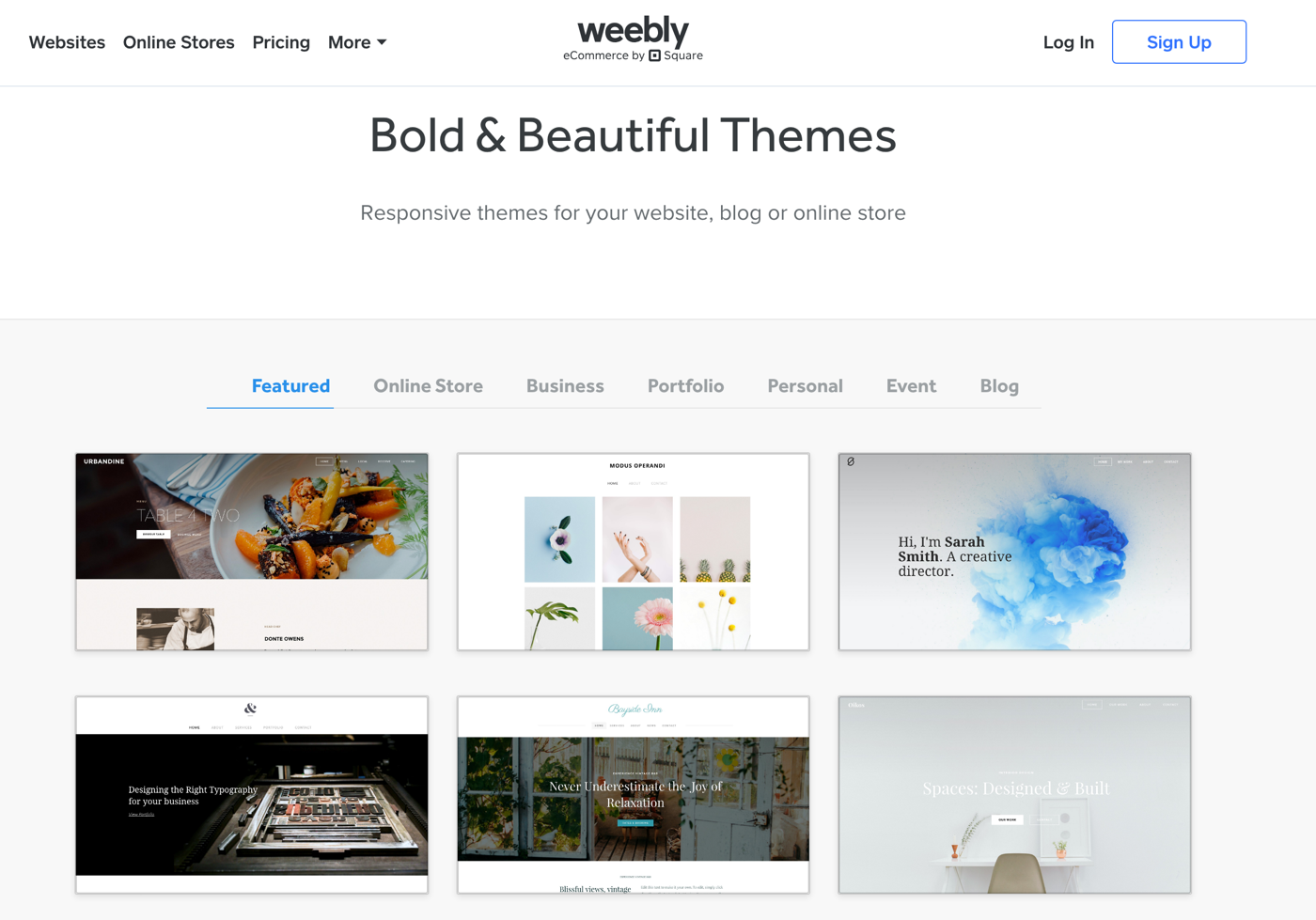
Weebly’s Template Selection – Sharp and clean, in our opinion
Of course, if you are all about design, and absolutely need to be able to customize it down to the last pixel, you should check out Wix in addition. Their template selection is unmatched and they have an even more flexible editor.
However, if you’re confident with coding, there’s one Weebly feature you might appreciate above all else. Unlike many other builders, Weebly gives you access to the template source code.
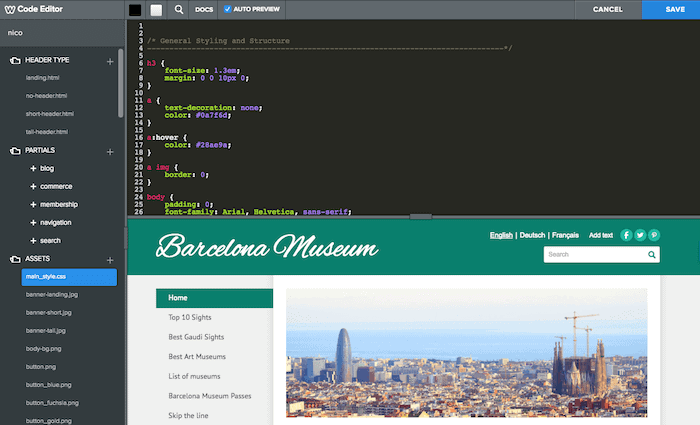
A template source code for designers who work with code
Want to dig under the hood and modify the CSS and HTML? You’ll have free reign here, as you can see in the image above. So, while Weebly’s visual editor may be more rigid than other tools’, being able to customize the code ultimately gives you more control over the design.
Ecommerce: Is a Weebly Online Store Worth it?
We’d say yes, with a caveat. It’s great to sell physical and digital products for small and medium-sized shops, but maybe not for huge ones. Although you can use the import and export function to manage a large number of items, you might find Weebly lacking in features for massive stores.
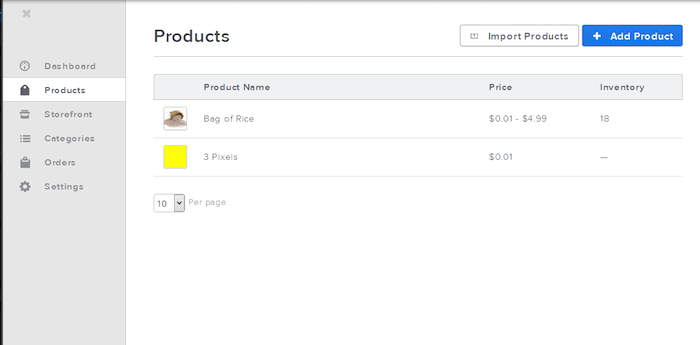
Easily add products to a Weebly store.
What’s great however is that you can start an online store on the free plan, which is not something you see very often. Obviously, it won’t look very professional to start an ecommerce business in Free or Personal as there’s the Weebly ad in the footer. Note, however, that if you’re based outside of the US, the ecommerce features on the free plan will be very limited. The Professional plan is a decent place to start as you can always upgrade to Performance should you need Abandoned Cart Emails or priority support.
Still confused about the various online store plans? You can find detailed information in our Weebly Online Shop review.
App Store: Can I Enhance My Website with Add-Ons?
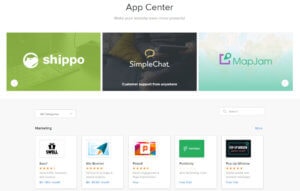
You bet! There are around 360 apps in a number of categories such as eCommerce, Communication, Marketing, Social, or Site Tools. Some are free, some are paid. Some are built by Weebly, some by third-party developers. For the latter, there is always an (unlikely) chance that it might shut down one day. Also a pity the apps made by Weebly are quite limited.
However, one thing all the apps have in common is a super easy installation feature – one click is all that’s needed to get them up and running on your site. All apps are tested and slot seamlessly into your website. We tried some cool ones like a way to add tables, event calendars, and info bars to display special information. Our only qualm is that the quality and quantity of apps is slightly inferior to those in the Wix App Store.
Membership sites: How well do they work?
Weebly’s membership feature is available on the Pro and Performance plans. It lets you restrict certain pages to registered members only. You can also restrict them further to individual members, or groups of members.
It works well on a basic level, but isn’t as complete as the membership solutions offered by Wix and Squarespace, which also include the ability to offer paid content to members (although you do have to pay extra for this).
Also be aware that, if you have an online store, you won’t be able to have your members area and customer accounts activated at the same time. In fact, you’ll have to delete all your members and member groups before being able to use customer accounts. This is a pretty big disadvantage, although it does seem like Weebly are aware of it and are working on a fix.
Weebly Review: Conclusion
Weebly scores high, mostly for its ease of use, the powerful ecommerce store, and their responsive templates. It’s also great that external apps can be added to Weebly sites. However, they should improve their design selection and also roll out new features more frequently if they want to keep up with other faster-evolving website builders.
Weebly used to be one of our favorite website builders, and it still has its perks. It’s simple, uncluttered and easy to use – which is exactly what people with limited technical skills need when it comes to creating their own internet presence. We also really like their easy-to-use and versatile blogging feature.
Although the positives still outweigh the negatives, Weebly definitely lets itself down with its slow rollout of updates and new features. If you’re after a non-ecommerce website, we’re not sure it can really compete with the likes of more powerful website builders like Wix and Squarespace. The templates just aren’t as polished, and the editor isn’t as flexible. Other features, like SEO, members areas, customer accounts and reports also need to be improved.
Getting an email address attached to your domain is also a bit pricey, as they recommend Google Workspace, which costs $6 per month, per user. (Although there are workarounds, as you can see in the FAQ below).
Now that they belong to Square, it’s clear that they are devoting most of their efforts to their ecommerce offering. With the launch of the new Square Online editor for online stores, and recent updates focusing almost exclusively on this product, Weebly is certainly worth exploring if the main purpose of your site is to sell.
But all in all, Weebly is still one of the best website builders we’ve tried. Their ease of use combined with cool tools like the iOS or Android app for editing your site on the go, or the number of add-ons available in the app center makes it robust, and fun to use.
Enough with the theory: Try it out for yourself and see how you like it!
Is Weebly the right site builder for me?
- Recommended If
- Not Recommended If
You want to create easily a website
You need control of your SEO
You also need a good online store and blog
Example Sites

Weebly User Reviews
Read MoreFAQ
Yes, that’s possible. If you upgrade, all previous payments will be credited, so won’t lose any money.
If you decide to go from a higher to a lower premium plan, you can do that at the end of your current billing cycle.
Domain names are free the first year. Afterwards Weebly will charge $19.95 per year. With Go Daddy or Namecheap, for example, you can purchase a domain name for around $10-15 per year. Go Daddy’s email packages start at around $50 per year and user with 5 GB of storage. See here how to set up a GoDaddy domain name for your Weebly website.
If you want to connect or transfer a Namecheap or an IONOS domain name to Weebly, please learn how with this tool.
They offer email addresses through Google Workspace. This is a professional solution but it will set you back $49 per user (yearly). For many this won’t be ideal as it’s a bit pricey.
A better approach would be to purchase your domain name through an external registrar, (e.g. Namecheap, which is the cheapest option we know of), point it to Weebly and set up email there. Namecheap charges around $10-15 per year for a domain name and another $10 per email account.
Find more information in this guide on Weebly email addresses and domain names.
Weebly comes with several plans: Weebly Free (no cost), Weebly Personal ($8 per month), Weebly Professional ($12 per month), and Weebly Performance ($26 per month). These prices are for 1-year contracts; monthly and two-year deals are also available.
If you’d like to find out all the prices and fees for Weebly, check our detailed Weebly pricing article.
Weebly customers are the owners of their Weebly site and the generated content. In other words, once you cancel your account with Weebly, they don’t have the right to host your content there anymore. Additionally, if you’ve purchased a domain name through Weebly you are the sole owner of it, which means that you can transfer it to a different registrar if you like.
Yes, Weebly can be completely free to use as it’s a freemium business model. This means that they offer paid plans with advanced features (e.g. registered users, or your own domain name) and a Weebly Free plan that shows ads at $0, but with some limitations (e.g. limited storage).
Generally, any of the major browsers (FireFox, Chrome, Safari, Edge, etc) will work fine, just make sure it is updated.
The advantage of signing up for Weebly through Bluehost or HostGator is that they provide a domain name and email accounts. But Bluehost’s offering is more expensive than signing up with Weebly directly. What’s important is that it may take longer to receive new feature updates and you won’t be able to use Weebly’s support. If you still want to give it a try, you can do so here.
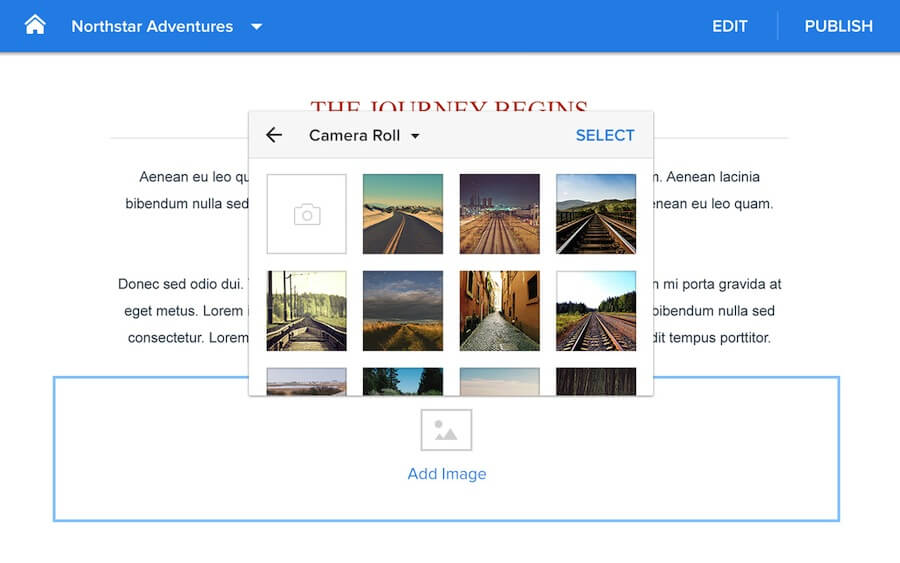
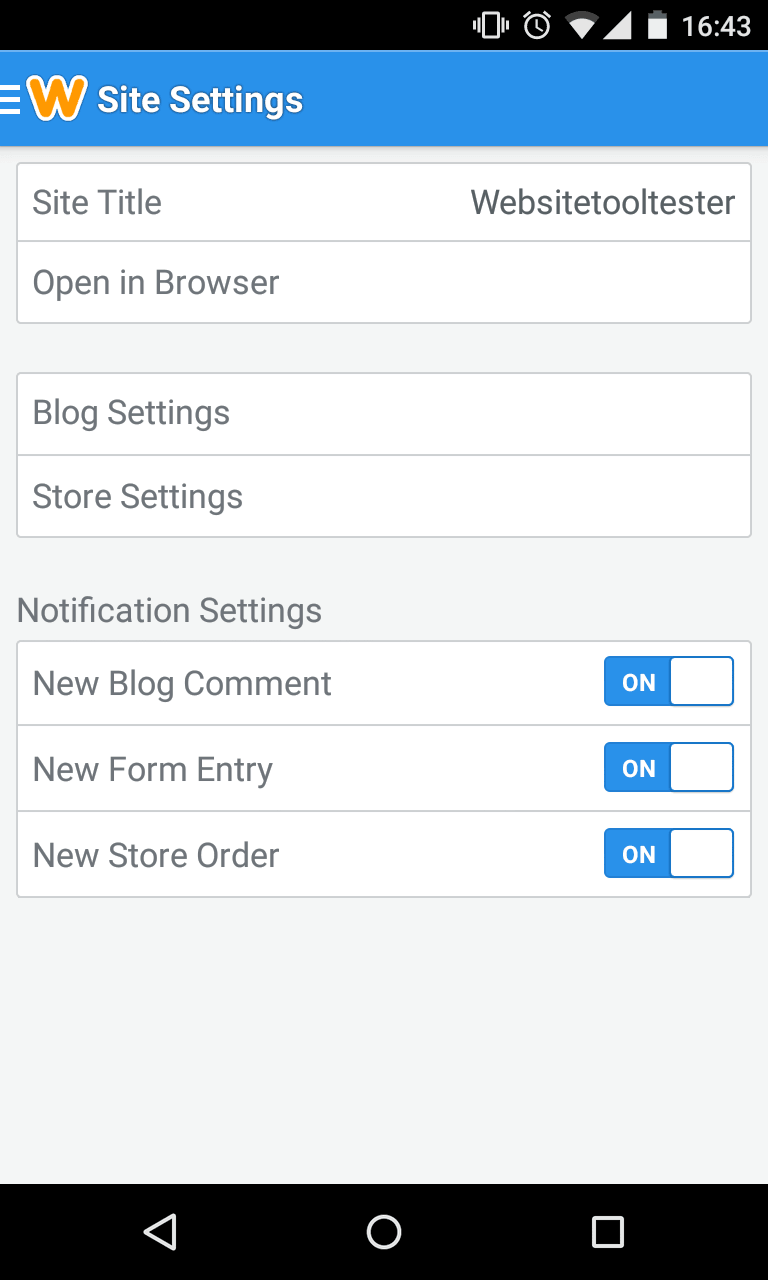
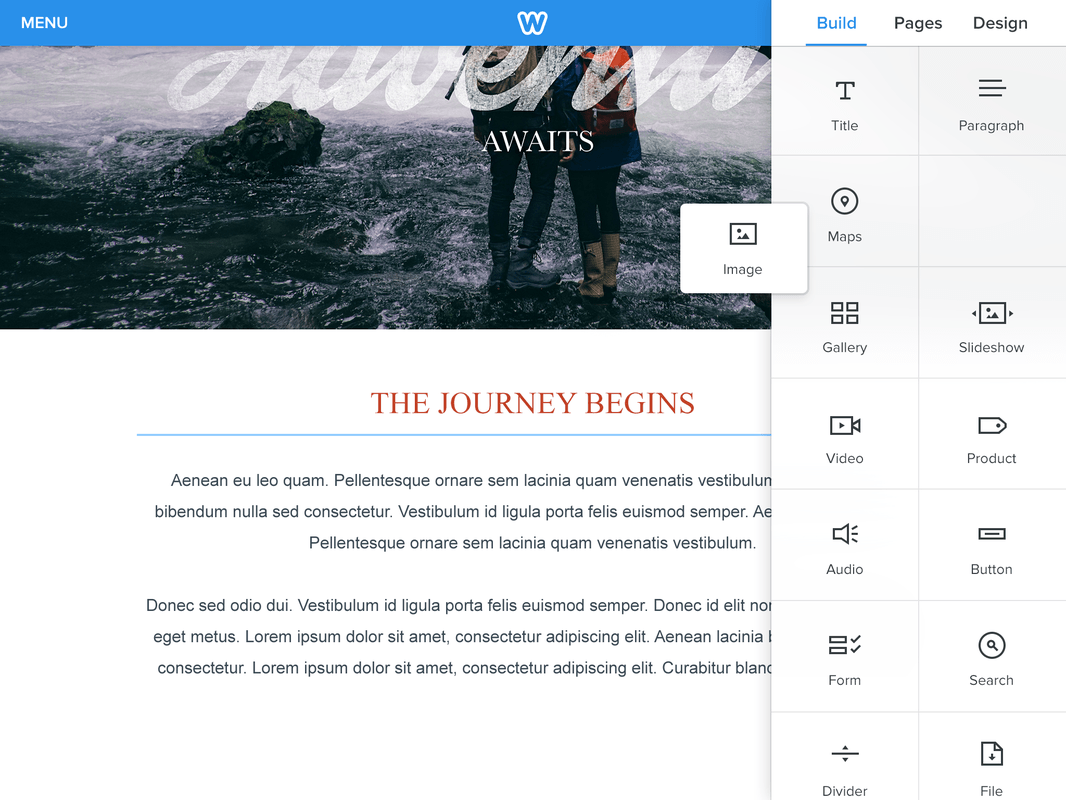
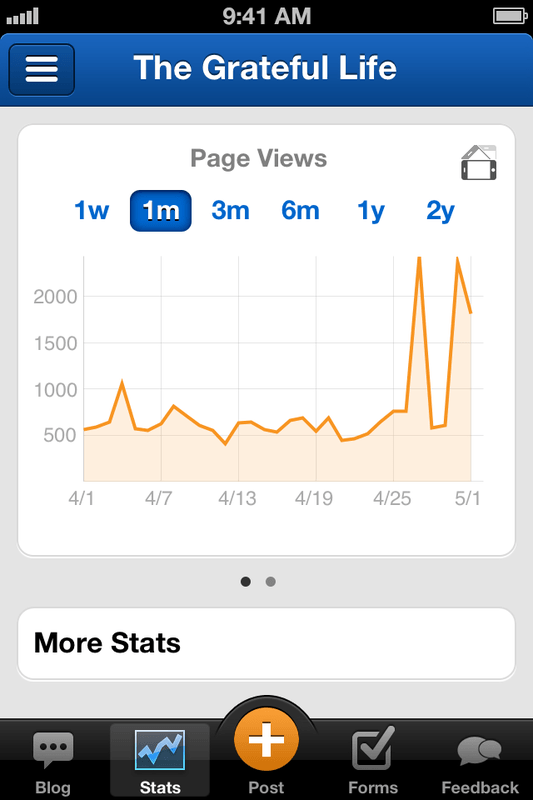
Weebly offers the possibility to edit and manage your site on the go with the iPhone and Android App for Smartphones; you will be able to create blog posts, add text, photos, videos, share your articles, check your site’s statistics and manage your site’s comments. With the iPad and the Tablet App you will even be able to create a site from scratch using the mobile editor.
Check out these screenshots of the Apps:
-
- Tablet App
-
- Smartphone App
-
- iPad App
-
- iPhone App
No, unfortunately not. We’d recommend an exhaustive test of the Weebly Free version. There is, however, a 30-day money back guarantee.
Yes, Weebly is a legit company. It’s part Block Inc, which also is the owner of payment processor Square. It’s a major publicly listed company that trades on the NYSE.
Weebly offers a free version of their product, which makes trying it out risk-free. For premium plans, there is also a 30-days money-back guarantee. For that reason, it’s safe to do business with Weebly.
Yes, using banner ads or Google AdSense for example.
Weebly hosts their customer’s websites in the USA (California). San Francisco is also where they are from.
In 2018 Weebly got acquired by Square, a mobile payment processor for $365m. (Not to be confused with Squarespace.)
Unfortunately Weebly doesn’t seem to be investing a whole lot into improving accessibility for users. Apart from some generic guidelines in its support pages, and the ability to adjust elements such as alt tags, fonts and text sizes (which is standard in all website builders), we couldn’t find any information around other features to improve accessibility. There are some external apps you can use to make your site more accessible, however.
Techie Stuff (Mainly for Geeks)
- Weebly Uptime & Response Time
- Weebly Page Speed
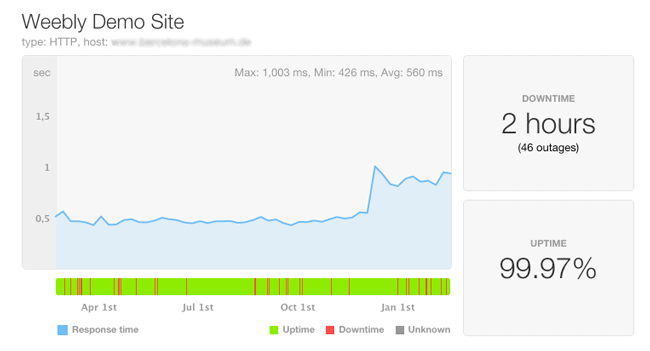
Here is the “uptime” of our Weebly demo site for the past year. Every outage means that the website is not accessible. An uptime of 100% would be ideal. Anything less than 99.90% is considered relatively poor. Weebly’s score of 99.97% is a very good result compared to its competitors!
Response time: what you can see in the blue graph here is the number of milliseconds it takes for Weebly’s servers to respond. A value in between 200-500ms is relatively good: more than 800ms can feel slow to your visitors. At the end you can see the graph go up: that was when this website’s SSL-encryption got enabled. More security also means a slightly slower website.
Weebly’s servers are based in the US, which means that loading times are fastest there.
Weebly Alternatives



Wix: If you need more freedom for your designs then Wix might be the best solution for your project. Many additional features can be added through the Wix App Store (including ecommerce tools). Generally, the quality of their apps is higher than Weebly’s whereas customer support is a bit poorer with Wix. Learn more in our dedicated Wix vs. Weebly blog post.
Duda: This website builder is great for creating multilingual websites. Also interesting is the personalize feature set that allows you to show information based on the user’s location or timezone (e.g. a summer sale for customers in Los Angeles).
Jimdo: They jumped onto the “AI Website Builder” bandwagon, offering a website creator that builds your site almost by itself requiring minimal input from you.
WordPress: You’ll have to invest a lot more time to launch a WordPress.org website but on the bright side you have access to nearly unlimited themes and plugins. You will have to set up your own hosting space and ideally find a WP developer who can help you when there are any issues. Read our Weebly vs. WordPress article here.
Zyro: Newcomer Zyro is making waves in the website builder arena, and for good reason – its flexible editor, eye-catching templates, and very low prices make it an attractive option for budget-conscious website owners.
Check out this post to find even more Weebly alternatives. Or use our smart finder to help you choose the best solution for your project.
The authors
Learn more about us

We keep our content up to date
05 Apr 2022 - Weebly overall rating now 4 stars
08 Mar 2022 - FAQs updated.
17 Dec 2021 - Mobile app rating added.
19 Jul 2021 - General update.
13 Dec 2019 – Pricing update, new plans added.
13 Nov 2019 – Weebly abandoned the 3% transaction fee.
27 May 2019 – Weebly's Starter plan is no longer available.
23 Apr 2019 – Weebly is blocking visitors from China, Russia and Ukraine. Not great for international websites.
26 Mar 2019 – Starter plan not available in all countries anymore. Other smaller updates.
03 May 2018 – Weebly got acquired by Square for $365m.
28 Feb 2018 – Updates in the uptime section
26 Jan 2018 – General update, more examples added.
14 Jun 2017 – Readjusting the rating
25 Apr 2017 – GoDaddy email information updated
21 Mar 2017 – More information about alternatives
10 Mar 2017 – FAQ about supported browsers updated
10 Mar 2017 – More information in the FAQ
17 Jan 2017 – Backup & Restore section added.
12 Jan 2017 – Added Weebly Page Speed Test
11 Jan 2017 – Weebly’s uptime and response time added.
15 Nov 2016 – Pros and cons section added.
29 Sep 2016- New video review added.
23 Sep 2016 – Weebly 4 update. New plan available with new features.
09 Mar 2016 – Weebly doesn’t let free websites be indexed by search engines any longer. For paid plans there is no change. Update: fortunately this change has been reversed, free websites can be indexed by Google and other search engines again.
01 Mar 2016 – Weebly Promote added
03 Feb 2016 – New use case section added
19 Nov 2015 – Review update (Weebly Carbon)
06 Nov 2015- New domains available
07 Aug 2014 – Price increase
12 Mar 2014 – Weebly has introduced a new Android app
26 Nov 2014- Updates for the blog und new membership feature added
17 Feb 2014- Google Apps integration for email accounts (see FAQ)
11 Feb 2014 – Addition to Languages (limited support of foreign character sets)
04 Jan 2014- Weebly finally doesn’t take a 50% cut on Google AdSense ads anymore.
29 Nov 2013 -Added Weebly Online Store Review
28 Oct 2013- Weebly Support offers now live chat.
09 Oct 2013 – Existing domain names cannot be connected to free Weebly sites anymore.
21 Jun 2013 – New video review of the updated editor
02 May 2013 – New editor design and a price increase: Starter is now $4 (before $3.29) and Pro $8 (before $6.63)
13 Mar 2013 – We’ve added information about password protection.
08 Feb 2013 – New pricing plans: Starter and Pro plan.
17 Dec 2012 – New features: site search, header slideshows, custom footer and more. Our review.
03 May 2012 – Quite a few additions: an iPhone app, the Button Element and more template flexibility
17 Jan 2012 – Video review and video page added
22 Nov 2011 – We checked Weebly’s server performance and it has done pretty well.
20 Jul 2011 – Review of Weebly’s mobile website
17 Mar 2011 – General update
12 Jan 2010 – General update – support not reviewed at this time.
THE BEHIND THE SCENES OF THIS REVIEW
This article has been written and researched following a precise methodology.
Our methodology
Comments